Social media proxies allow you to manage global accounts with ease. We review IPcook features, location proxy pools, and dashboard setups for your team.
Many users face frequent account verification, IP risk control, inaccurate ad region detection, and automation tool restrictions during daily operations. These issues naturally lead to a strong demand for social media proxies. However, not all proxy services suit social media scenarios. This article will evaluate IPcook from multiple dimensions. We will look at connection stability, regional coverage, account management adaptability, price, and actual user experience. The goal is to help you judge if it fits your specific operational needs.
What Is IPcook?
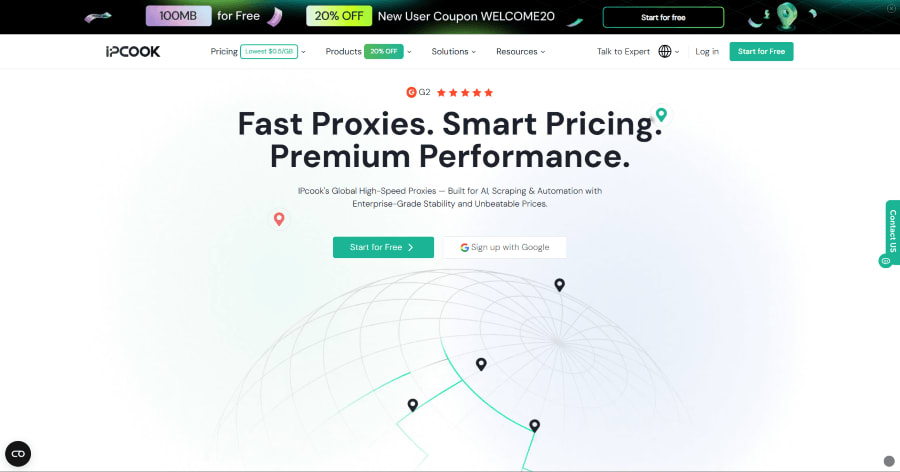
IPcook operates as a proxy IP service provider, supplying Residential Proxy, ISP Proxy, and Datacenter Proxy resources to a global audience. Users apply these network solutions to diverse fields including social media management, ad verification, data scraping, and cross-region content access. We will keep the focus tight. This article solely examines the actual performance of IPcook cheap social media proxies.
Why Do You Need Social Media Proxies?
Before we look at specific tools, we should understand why more and more people are starting to use social media proxies today. Cross-border brand teams often operate multiple social accounts simultaneously. Overseas marketing teams need to conduct ad delivery verification accurately. All these jobs require a stable and independent network environment. If multiple accounts share one single IP or frequently switch IP addresses, the platform will flag them easily. This situation increases the risk of account verification or permanent bans.
Proxies provide independent IP addresses and simulate access environments from different countries and regions. This feature helps users view local ad content safely. Please note that not all proxies fit social media platforms well. Datacenter proxies are cheap, and they fit some basic tasks. However, residential proxies resemble real user network environments much better. Thus, residential IPs are far more common in daily social media operations.
Review of IPcook as a Social Media Proxy
Now we will evaluate the service based on the specific standards mentioned above. We want to see how it performs when you are searching for the best social media proxies on the open market. We will skip complex technical specifications and theoretical data. Instead, we will focus purely on practical application metrics that matter to marketers.
IP Quality for Social Media Accounts
IP quality directly affects account stability during long-term operations. IP types determine how social platforms view your connected accounts. Static residential proxies usually resemble ordinary user network environments very closely. They are highly suitable for account logins. Datacenter proxies have lower costs, but we do not recommend them for sensitive platforms due to high detection rates.
IPcook offers Residential Proxy, ISP Proxy, and Datacenter options. We can match these directly with different social media scenarios. Their massive residential pool is a great choice when you need residential proxies for account creation. On the other hand, the ISP proxy is highly suitable for long-term social media operations where accounts must maintain the same IP address over several months.
Location Coverage for Global Social Media Campaigns
Region coverage must meet the demands of your global campaigns. Different country IPs directly impact ad delivery, localized content operations, and overseas market research. If your target audience lives in Japan, you need a Japanese IP to verify local ads and content reach accurately.
IPcook covers major markets such as the United States, the United Kingdom, Japan, and Germany. It provides access to 185+ locations globally. These diverse regions are vital for ad verification, multi-region account operations, and competitor analysis. The overall region coverage is broad enough to satisfy the daily requirements of most cross-border operation teams.
Session Stability for Daily Account Management
Social media accounts usually need to stay logged in from the same IP address. Frequent IP changes easily trigger account verification or forced logouts.
IPcook supports sticky sessions, and this feature can last up to 24 hours. When you manage multiple accounts, this session stability is far more important than pure connection speed. You need the connection to hold steady while you complete your daily posts and interactions. This stability is an essential metric when evaluating any proxy service for social platforms.
Compatibility with Anti-Detect Browsers and Automation Tools
A solid proxy for social media must integrate easily into your existing workflow. Many social media operation teams work with anti-detect browsers like AdsPower or GoLogin daily. They also use various automation tools to scale their promotional efforts. A proxy fails in its purpose if it cannot connect to these tools quickly.
IPcook supports standard proxy protocols such as HTTP, HTTPS, and SOCKS5. It is fully compatible with almost all mainstream anti-detect browsers and automation software options. This smooth integration saves a lot of initial setup time. It means teams can manage hundreds of accounts efficiently without difficult technical roadblocks.
Performance and Speed in Everyday Use
We will look at real user experience instead of raw speed test data. Daily operations include logging into social platforms, scrolling through information feeds, uploading images, accessing ad managers, and switching between multiple accounts.
For social media operations, the proxy only needs to maintain a stable connection and normal response times. Extreme speed is rarely necessary for these specific tasks. During routine tests, IPcook handled image uploads and feed browsing smoothly. The overall experience shows that it can handle routine daily operation workloads without noticeable lag or frustrating delays.
Pros & Cons
Here is an IPcook detailed summary of our findings from the thorough analysis above. We evaluated both the strong points and the areas needing improvement.
Pros:
- Price low to $0.5/GB: This low entry price helps teams with a small budget test services easily. It allows you to significantly reduce early operational costs.
- 55M+ Real Residential IPs: A large IP pool means fewer chances of IP block overlap. You can run hundreds of accounts and avoid network conflicts easily.
- 99.9% uptime with low-latency performance: Reliable connection uptime keeps your business online around the clock. Your automation tasks will run smoothly without sudden interruptions.
- Sticky sessions up to 24 hours: You can maintain the same IP address for a long period. This feature is highly suitable for tasks that require long sessions, like page navigation or chat.
- Traffic has no expiration date: Many providers force users to clear their data balance every month. Under this policy, you can use your purchased traffic at your own pace without waste.
Cons:
- Lacks a long-term free plan: Beginners receive only 100MB for a trial. To continue using the service and fully test its capabilities, one must purchase a small package.
- Dashboard page setup requires time to learn: The control panel has many advanced options. New users might find the initial configuration process slightly complex at first glance.
How to Use IPcook for Social Media
Follow these five simple steps to start your operations as a new user. We designed this guide to help you deploy the network environment quickly.
Step 1: Open the IPcook official website and register or log in to your user account.
Step 2: Choose the proxy type that fits your specific social media operations. Buy residential proxies for batch account creation tasks, or select ISP proxies for long-term account operations.
Step 3: Take the ISP proxy as an example here. Select your target country or region, choose the exact purchase quantity, and pick the appropriate usage duration.
Step 4: Configure the generated proxy details into your standard browser, anti-detect browser or automation tool.
Step 5: Log in to your social account and run a simple network test. Confirm the network environment is completely normal before you begin your official daily operations.
Pricing
Here is a brief overview of the different proxy types and their current pricing structures. We highly suggest you evaluate your budget alongside your actual business needs before making a purchase. If you would like to learn more about other pricing options or customized solutions, you can contact IPcook directly via their official email address.
Residential Proxies:
- Basic — $3.20/GB (1 GB Traffic)
- Advanced — $60 ($2.40/GB, 25 GB Traffic)
- Small Enterprise — $800 ($0.80/GB, 1,000 GB Traffic) Bestseller
- Enterprise — $5,000 ($0.50/GB, 10,000 GB Traffic) Best Value
ISP Proxies (5-Day Package)
- 10 IPs — $2.50 ($0.05/IP/day)
- 50 IPs — $12.25 ($0.049/IP/day) Bestseller
- 100 IPs — $24.50 ($0.049/IP/day)
- 200 IPs — $48.00 ($0.048/IP/day)
- 500 IPs — $115.00 ($0.046/IP/day) Best Value
Datacenter Proxies (5-Day Package)
- 10 IPs — $2.00 ($0.04/IP/day)
- 50 IPs — $9.75 ($0.039/IP/day) Bestseller
- 100 IPs — $19.50 ($0.039/IP/day)
- 200 IPs — $38.00 ($0.038/IP/day)
- 500 IPs — $92.50 ($0.037/IP/day) Best Value
Final Verdict
To sum up, IPcook offers a practical and reliable option for social media proxies to address your core management challenges. This evaluation shows that the service effectively addresses critical risks such as frequent account verifications and IP blocks. With its stable sticky sessions, broad geographic coverage, and smooth integration with anti-detect browsers, the provider meets the essential demands of global marketing teams.
Although the dashboard requires some initial study and there is no long-term free plan, the affordable price structure offers clear cost advantages. For businesses that run multiple social profiles and need cheap social media proxies, IPcook serves as a solid network asset. We recommend that you start with a small purchase to verify its performance within your specific operational setup.
Comments
Loading comments…