Creating unique and artistic photos is no longer a pursuit for people skilled in the art of editing. With CapCut PC's AI Image Tool, students, creators, and professionals can easily turn ordinary images into stunning works of art with a single click. In this article, you'll get to know exactly how it is possible to turn simple photos into creative art styles via easy AI tools on CapCut PC. Many users who explore creative tools like an AI logo generator also find CapCut’s AI features extremely flexible for visual projects.
Before we start with the step-by-step process, let's dive into the popularity of CapCut PC, as it has substituted many traditional photo editing tools.
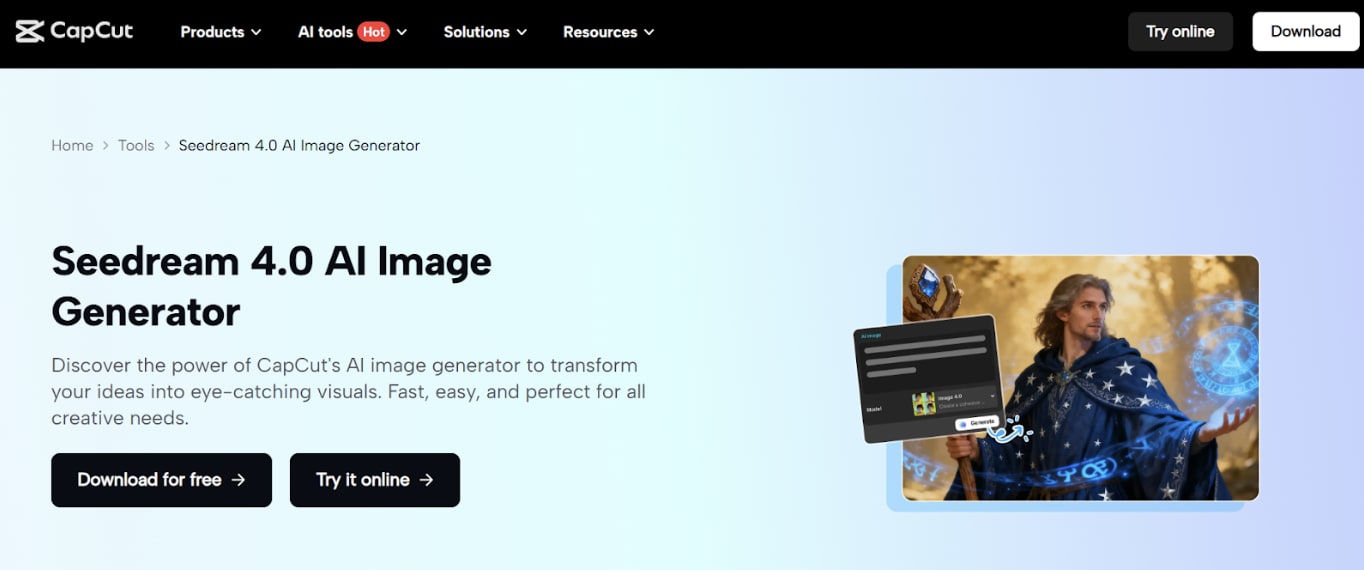
Why Use CapCut PC for Photo Art Styles?
CapCut PC provides an absolutely smooth and creative editing experience for those who need quick and polished results. The thing about the AI Image Tool is not that it improves a picture - it totally restyles it into a new style. Whether you need granite digital art, soft watercolour appearance, cartoon suggestions, cartoon pictures, or countless concept art, cartoon art, your image is turned instantly using AI-free software of good quality.
The best thing is that all the tools are easy to use for beginners. Need not grip complex layering and/or brushes. With a few clicks of the mouse, the AI produces updated versions that are created right within the editor, making it ideal for social media posts, student projects, posters, thumbnails, and digital portfolios.
Key Features of CapCut PC That Enhance AI Art Creations
- High-Quality Image Enhancement
CapCut has an AI that enhances the clarity, color, and texture before applying styles while making sure that professional-level results are produced every time.
- One-Click Style Transformations
With dozens of built-in art styles, users can instantly study different art styles without manual editing.
- Background Editing Tools
You can remove, replace, or redesign the background to suit your new style of art, which gives your final image a cohesive visual concept.
- Fine Adjustment Controls
Brightness, shadows, tone, sharpness, and saturation sliders allow you to perfect your artwork right down to the details.
- Smart Facial Retouching
In the case of styles for portraits, CapCut automatically repairs lighting and facial details, which results in a better look.
- Export of Various Qualities
Whether you want the HD for social media or ultra-high resolution printing, CapCut has the flexible option for output.
- Easy Integration With Video Projects
Your AI-styled photos can instantly be added to videos/slideshows/animated designs without these additional tools.
How to Create Photo Art Styles Using CapCut PC’s AI Image Tool
Step 1: Open the CapCut Desktop
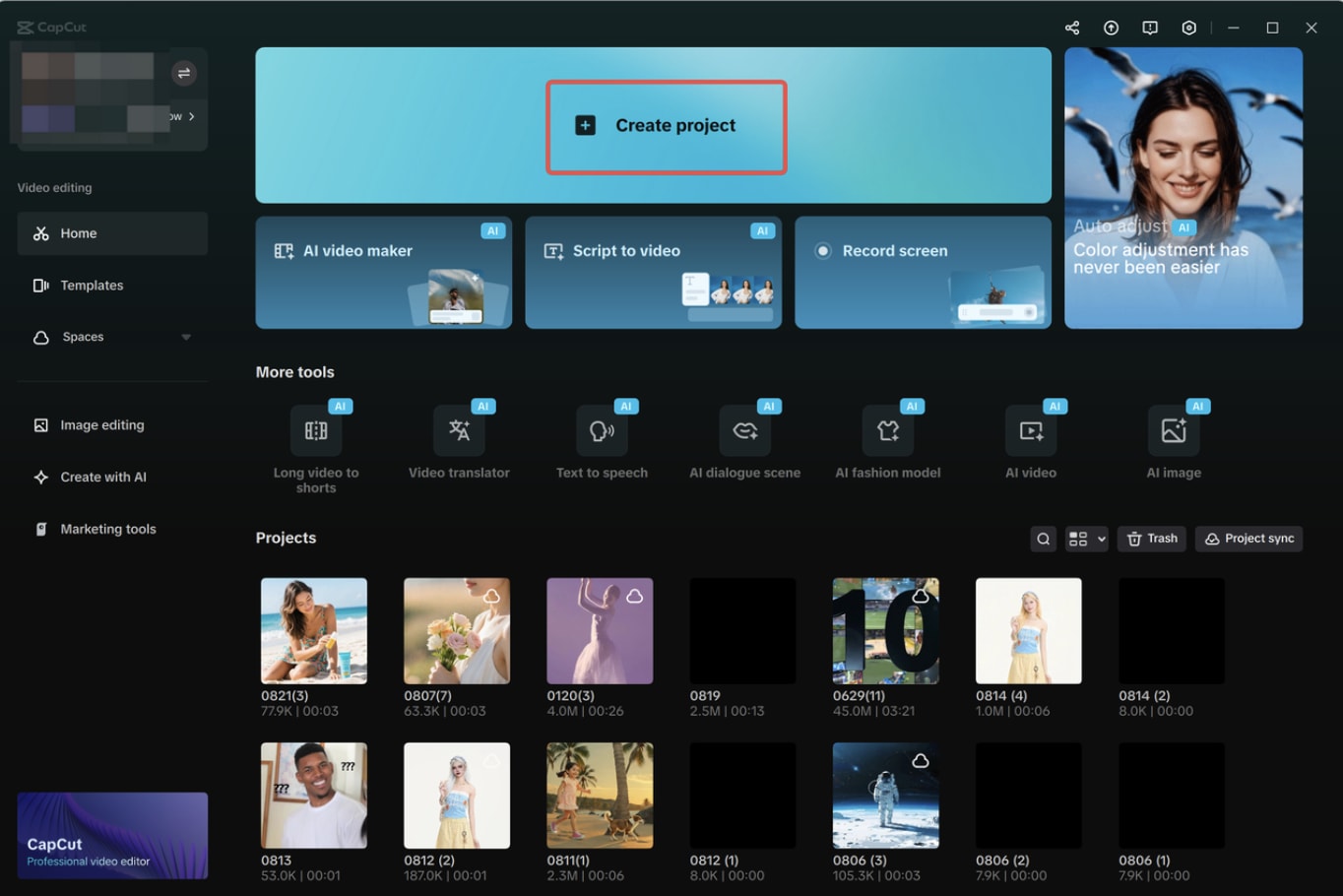
First of all, you need to download and open CapCut PC, and then sign in to your account. Click on the "Create project" option in order to open a new workspace. Now drag the photo that you want to change to art style to the media area or add your photo using the upload button.
Step 2: Create an AI Art-Style Image
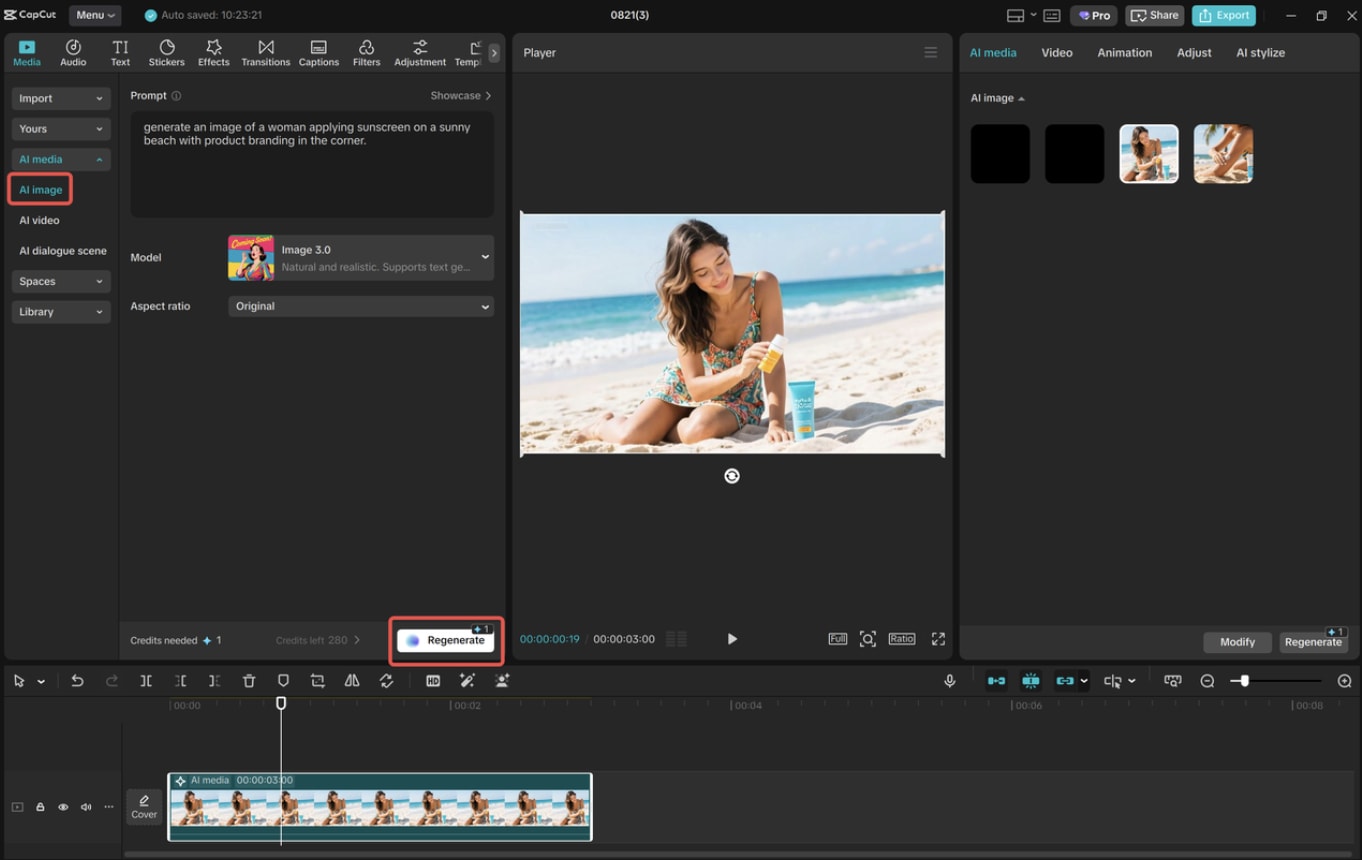
Go to "Media" > "AI media" and write down a bit about the type of art you want, such as watercolor, digital painting, sketch, or cartoon. Choose a model from one of the following models based on your artistic direction: Nano Banana Pro, Seedream 4.0, Seedream 3.0, Seedream 3.1, or Flux 1.1 Pro. If you desire to have a higher degree of accuracy, click "References" and upload your original photo as a guide. Then select an aspect ratio that suits your purpose and click on "Regenerate" to generate 3-4 versions. Pick the one that you like the most and fine-tune it with the AI editing tools of CapCut.
Step 3: Export and Share
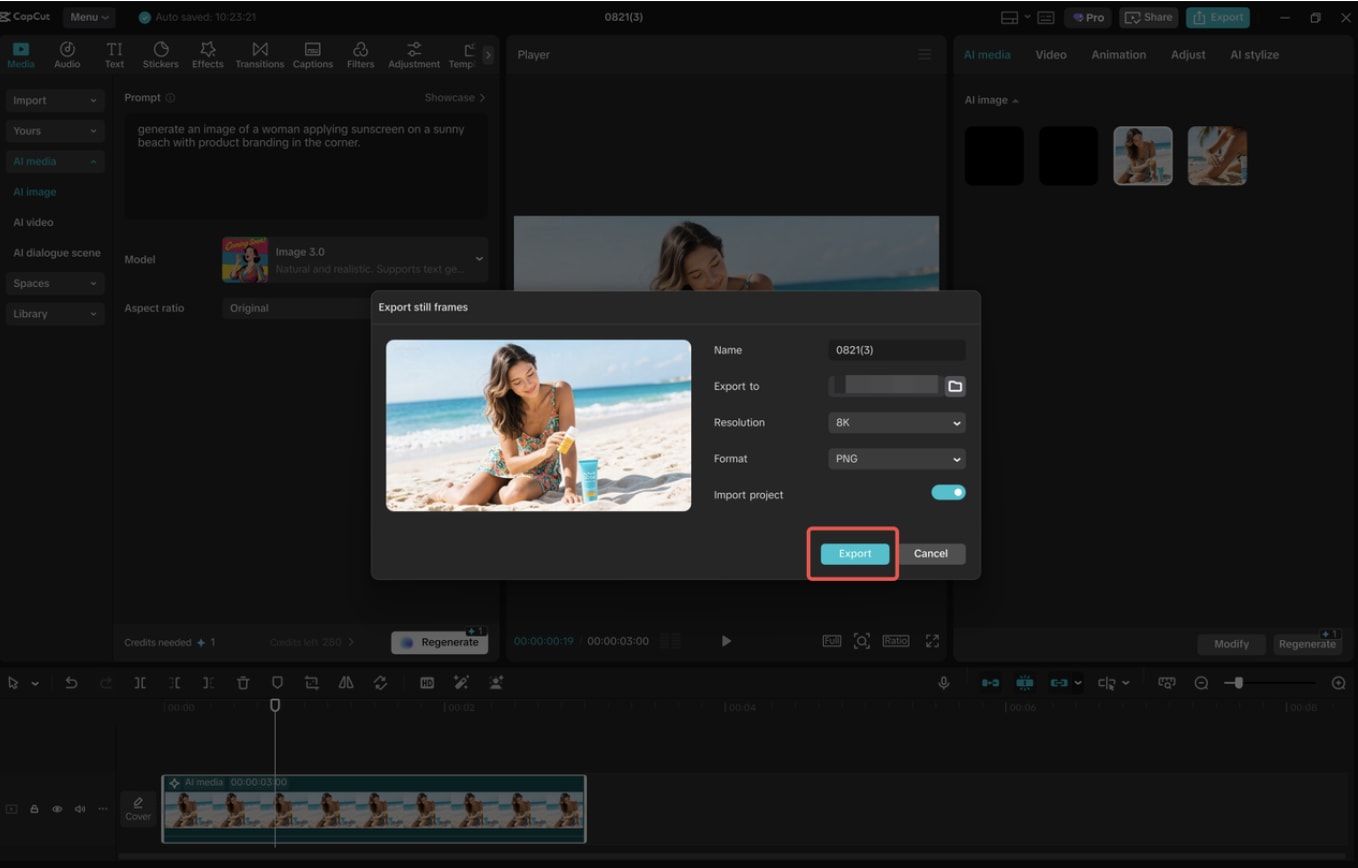
Once your art-style design is created, click on the three horizontal lines above the preview panel on the right. Select "Export still frames," give the project a name, select a resolution such as 4K or 8K, and hit "Export." After saving, you can share your final photo art on social media, insert it in your presentations, or in creative projects.
Popular Art Styles You Can Create with CapCut PC AI
CapCut PC gives you dozens of smart styles - each of which has been created to suit different creative needs. The following are some of the most used ones:
- Cartoon Style
This style flattens our skin, adds radiance to colours, and has a graphic feel to it. It's ideal for profile pictures, TikTok thumbnails, and fun posters. The cartoon finish makes every picture appear vibrant and modern.
- Watercolor Art
CapCut's watercolor effect transforms photos into flowing, soft art using flowing colors. This is great for digital diaries, class projects, invitations, and to make aesthetic posters.
- Oil Painting Effect
If you want a dramatic transformation to your painting, then the style of oil painting will add depth and texture, making the photo appear to be hand-painted. great for portraits as well as scenic photography.
- Sketch & Pencil Drawing
With AI sketch filters, you will be able to turn an average picture into a monochromatic and hand-drawn work of art. It's particularly suitable for educational diagrams, work for artistic assignments, or creative storytelling.
- Fantasy & Concept Art
For creators looking for a sense of magic or cinematography, fantasy presets provide glowing elements, enhanced shadows, and dreamy color tones - ideal for storytelling illustrations.
Benefits of Using CapCut PC for Art-Style Photos
CapCut makes high-quality photo editing easy for everyone by bringing professional-level photo editing to everyone. Students can use AI art styles for assignments or visuals for projects. Content creators can create unique-looking Instagram posts or YouTube thumbnails. Businesses can create illustrated brand content without having to hire a designer.
The combination of fast AI technology and simple tools forces users to save time while getting visually appealing results.
Final Thoughts
Creative and artistic image creation has never been easier. With CapCut PC's AI Image generator, anyone would be able to create stunning artwork from normal photos in a matter of minutes, whether a student or digital creator. Whether you have a cartoon in mind, fantasy themes, ways of sketching, or watercolor art, Kyetri- or CapCut helps you to bring your creativity to life easily.
Comments
Loading comments…