How to Create Short Educational and Explainer Videos with Seedance 2.0
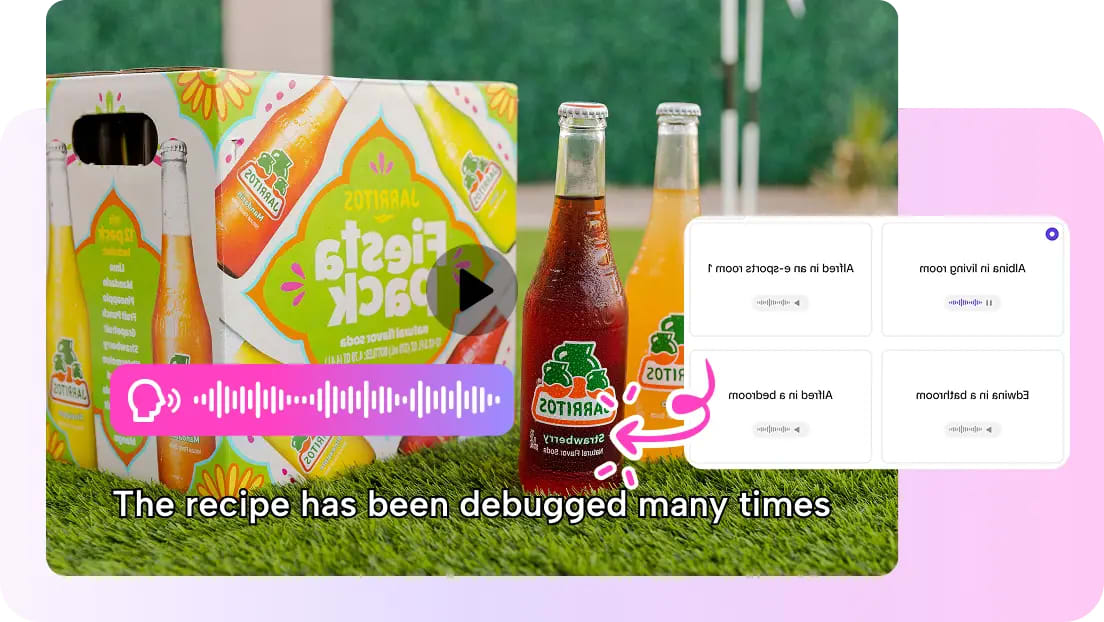
There is so much educational content online, and this range of information, from science explanations to product reviews and study materials, can be learned much better in short video form rather than long articles or lectures.
The only problem is, creating educational videos can be time-consuming, especially since scenes, graphics, and other elements must be created and made clear within the video. There are many educators, trainers, and video creators who would like to find an easier way to create educational content.
Fortunately, AI video creation is helping this come to fruition, thanks to platforms like Pippit, where educational content can be created based on prompts and reference materials. There are even AI video creation models like Seedance 2.0, which can help create consistent visuals, motion, and even long video content to help explain concepts clearly.
Rather than creating the video frame by frame, creators can focus on explaining the concept while the AI does the rest of the work.
Why short educational videos are so effective
It has been proven that people can learn much faster if the information is made visually and short.
A short animation or cinematic sequence can be used to quickly illustrate:
- How the idea works
- How the process works, step by step
- How the elements interact with each other
For example, the animation could be used to show how the machine works, how the app feature works, or how the process works in science.
Short educational videos are used in many educational settings, such as:
- Online courses
- Social media learning content
- Product tutorials
- Explanations in the classroom
The idea can be quickly grasped, and the video will therefore be more engaging than lengthy lectures.
Shaping clear visual explanations with AI
When creating educational content, the idea or information must be clear and easily understood. The content must be free of distractions and must not contain any complex or confusing visuals.
The AI video generation process helps in creating educational content because the AI creates structured content with the main idea or information clearly depicted. This means the AI does not randomly generate animations, and the content generated will be visually logical and clear.
The AI video generation process can be controlled and directed with the addition of the following information:
- The concept that is being explained
- The environment wherein the scene is taking place
- The movement or interaction of elements within it
This ensures that the video created is able to illustrate what is being explained naturally.
Video production AI models have good continuity between images. Things don't move around or jump abruptly from one place to another. Scenes transition smoothly from one to another. Such aspects ensure that educational videos appear to be of good quality and thus easier to comprehend.
Creating step-by-step visual storytelling
Educational videos usually require an explanation that is given in steps. There is a beginning, a series of steps to be followed to reach a goal, and finally an ending where everything has been accomplished.
Such an explanation is made possible with AI-generated videos. It is able to create scenes that appear to be connected to each other.
For instance, an educational video on how a manufacturing process works may require scenes such as:
- Introduction of materials to be processed
- Transformation of materials
- Production of a completed product
With AI-generated video, it is not required to create scenes that appear to be disconnected from each other. Such an explanation would be difficult to comprehend.
Transforming ideas into explainer videos using Pippit
In creating educational content on a daily basis, having a simple process can greatly help. Pippit helps content creators do just that by providing them with the ability to create, edit, and export videos all from one platform.
Rather than switching between different programs, creators can just focus on crafting their explanation and let the new Seedance model do the rest for the visuals.
The following is the usual process for creating educational videos using Pippit.
Step 1: Open the video generator
To begin creating educational videos, the user needs to open the video generator. This is done by signing up for Pippit and accessing the home page. From there, the user clicks on the Video tab on the dashboard or clicks on Video generator on the left menu. In the prompt box, the user needs to input what educational scene they want to create.
This can be something such as: Create a short explainer video on how solar panels harness energy from the sun, with the camera moving slowly over the panels and the energy flowing towards a connected home.
Step 2: Generate the video
Add media and more to add images, URLs, or videos to explain the content. Select the model of your choice, such as Lite mode, Agent mode, Veo 3.1, or Sora 2, depending on your requirements. For Agent mode, you can add a reference video to influence the appearance of the generated video. Go to Customize video settings and set the length and spoken language, then click on the Generate button to let Pippit generate the video.
Step 3: Edit and export
When the video has been generated, click on the video and press the Play button to view the generated video. To edit the video, click on the Edit More button and use the editing tools to edit the video as required.
When the video appears clear and edited, click on the Download button to save the video or use the Publish button to share the video on your social media or learning platforms.
Helping in creating memorable educational videos
One of the reasons why short videos are successful is that they are easy to understand. Instead of showing text, they are using moving images to emphasize key points.
With AI video generation tools, it is possible to create memorable videos using various techniques such as:
- Camera movements
- Scene transitions
- Focus on key points
These techniques are useful in creating memorable educational content that is easy to remember.
For instance, a technology video might zoom in on a device's component. Another instance is a science video that shows particles moving in a system. Such techniques help in creating content that is easy to remember and understand.
Helping in creating educational content faster
Most content creators who specialize in creating learning content are required to produce content on a regular basis. Such content is mostly required in various areas such as online courses, educational videos, and learning content pages.
With AI video generation tools, it is possible to create content faster. Most of these tools help in creating content faster since it takes a shorter time to create a video compared to creating a script and then shooting a video.
Building a modern workflow for educational video creation
Educational short videos are considered one of the best methods of sharing knowledge over the internet today. This is because they are able to break down complex ideas into simpler concepts and keep users engaged.
With AI video generation, it is now possible to create videos based on ideas. By simply explaining scenes and using references, it is possible to create engaging and informative videos.
Pippit is an application that offers users an opportunity to create, edit, and share videos in one place. With powerful AI assistance in generating smooth scenes, it is now possible to create engaging and informative videos based on educational concepts.
Comments
Loading comments…