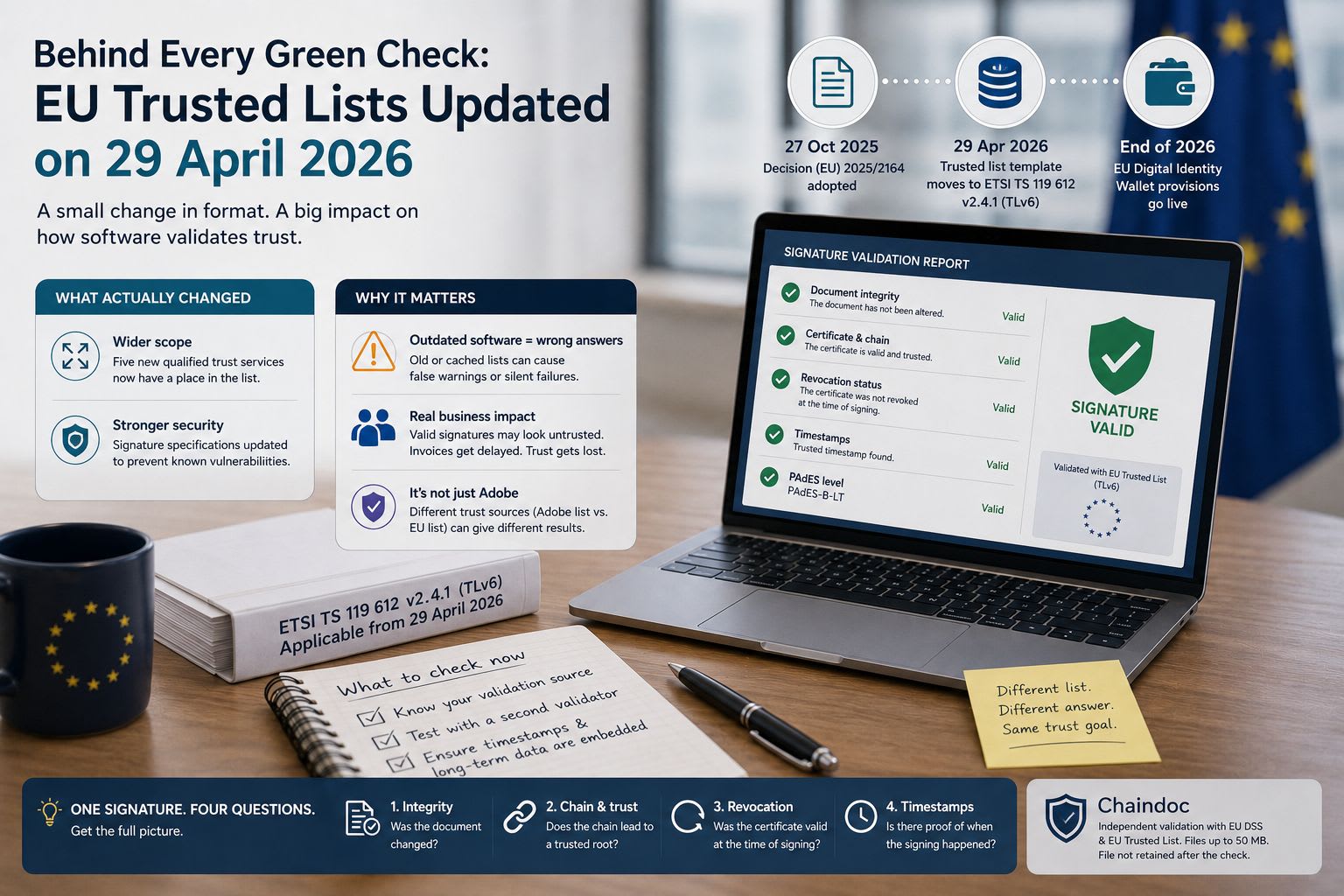
On 29 April 2026, the technical format behind every EU trusted list changed. If your document software still validates signatures the way it did last year, it may be reading a file that no longer exists in the shape it expects.
Here's the background. Electronic signatures in Europe are trusted through a chain that ends at a government-published list. Each EU member state maintains a trusted list naming the providers it has qualified to issue certificates. Software that validates a signed PDF walks the certificate chain upward and asks whether the root sits on one of those lists. No list, no trust.
Commission Implementing Decision (EU) 2025/2164, adopted 27 October 2025, changed the standard those lists are built on. It moved the common template from ETSI TS 119 612 version 2.1.1 to version 2.4.1, and it applies from 29 April 2026. Practitioners call the old and new formats TLv5 and TLv6, though the decision itself talks in version numbers.
What actually changed
Two things, and only one of them made the trade press.
The visible change is scope. Regulation (EU) 2024/1183 introduced five qualified trust services that the old template had nowhere to put: management of remote qualified signature and seal creation devices, issuance of qualified electronic attestation of attributes, qualified electronic archiving, and recording of data in a qualified electronic ledger. The updated template gives each of them a place in the list.
The quieter change matters more for anyone writing validation code. The decision also adapts the signature specifications for the trusted lists themselves, in its own words, "to prevent certain known and reported vulnerabilities." Trusted lists are signed documents too. A weakness in how they are signed is a weakness in the entire trust chain that hangs off them.
Why this reaches ordinary business software
Most companies never touch a trusted list directly. They open a signed PDF, look at a green tick or a yellow warning, and move on. That tick is the end of a process that starts with a government XML file.
When the format underneath shifts, three things can happen to software that hasn't kept up. It can fail loudly, which is the good outcome, because someone notices. It can silently fall back to a cached copy of the old list, which quietly ages into irrelevance as providers are added and removed. Or it can report a signature as untrusted when the signature is perfectly sound and only the reader is out of date.
That third case is the one that generates support tickets. A supplier sends a properly signed invoice, the finance team opens it, the reader shows a warning, and someone spends an afternoon deciding whether to pay. The signature was never the problem.
The practical question for teams
Ask what your document tools actually check. There are three honest answers, and they lead to different amounts of work.
If you use Adobe Acrobat or Reader, trust comes from Adobe's own list. Acrobat periodically downloads a set of trusted root certificates and treats a signature as trusted when the certificate chain traces back to one of them. Adobe states that its digital signatures also work with providers on the European Union Trust List. In practice this means Acrobat's answer and a strict eIDAS answer are related but not identical, and they can disagree.
If you use a signing service, the trust decision belongs to the vendor and updates when they update. Worth asking them directly when they moved to the new template, and what happened to documents validated in the gap.
If you built something in-house against a validation library, check which version of the standard your library targets. This is where the April change bites hardest, and it's the case least likely to have been reviewed.

A second opinion costs nothing
There's a habit worth building here, and it applies well beyond April 2026. When a signed document matters, check it somewhere other than the tool that received it.
Independent validators exist for this. Chaindoc runs the check through the EU Digital Signature Service library with the EU Trusted List as its trust anchor, and returns each part of the answer separately: whether the document changed after signing, whether the signing certificate chains to a trusted root, whether it was revoked, what the embedded timestamps say, and which PAdES level the signature reaches. Files go up to 50 MB. The first check in a session asks for an email address and a one-time code, and the file isn't kept afterwards.
Splitting the answer into parts is the useful bit. A single verdict tells you something is wrong. Separate lines tell you which thing, and the difference decides whether you're looking at a tampered document or a trust-list gap. Those two problems look identical in most readers and have nothing else in common.
What to do before the next change
The April update won't be the last one. eIDAS 2.0 is still rolling out, and the wallet provisions land at the end of this year.
Three things are worth doing now. Find out which validation library or service each of your document workflows depends on, and write it down, because almost nobody has this written down. Pick one signed document you already trust and run it through a second validator to see whether the answers match. Then, if you're archiving signed documents for years rather than months, check whether they carry embedded timestamps and revocation data, because that's what keeps a signature verifiable after its certificate expires.
None of this is urgent in the way an outage is urgent. It's the kind of thing that costs an hour now or a week during an audit.
One last distinction, since it trips up teams building document features. The signature image and the signature record are separate concerns, and conflating them in a data model causes pain later. Letting a user draw or type a signature produces a transparent PNG, which is a rendering problem: canvas capture or web font, alpha channel, export resolution. Chaindoc stores that mark against a user account, on its free tier, which is itself a hint about the boundary: a mark tied to nobody is just pixels. Making that mark mean something is a different system entirely, involving authentication, a timestamp and a document hash. Plenty of products ship the first and quietly imply the second, and the gap only surfaces when a customer's document is challenged.
Keep them separate in the schema, and be explicit in the UI about which one a given flow produces
Comments
Loading comments…