Want to improve the results you get from AI writing tools because your text sounds a bit off or struggles to bypass AI detection? We’ve selected the best AI rewriter software to help you.
Want to improve the results you get from AI writing tools because your text sounds a bit off or struggles to bypass AI detection? We’ve selected the best AI rewriter software to help you make your text much better and sound less like AI.
Quick Summary of the Top AI Humanizers
The right AI humanizer depends on what matters most for your text. Here’s a quick breakdown:
- Clever AI Humanizer – Best Overall. Great balance of AI detection performance, writing quality, grammar, and meaning preservation.
- Undetectable AI – Best for AI Detection. Strongest detector performance, but it can make text much longer.
- WriteHuman – Best for Preserving Length. Keeps the output close to the original word count.
- AIHumanize – Best for Rewriting Options. Offers multiple modes, styles, and rewriting levels.
- Grubby AI Humanizer – Best for Specific Detectors. Includes dedicated modes for GPTZero, Turnitin, and ZeroGPT.
- GPTHuman AI – Best for Writing Quality. Produces natural, clean writing but performs weaker across AI detectors.
- Verva – Best for ZeroGPT. Performs particularly well with ZeroGPT but requires more grammar editing.
Whichever option you choose, review the final text yourself, since no humanizer can guarantee the same result across every AI detector.
AI Humanizers: How Do They Work, and Why Do You Need One?
An AI humanizer is an online tool that makes AI text sound more natural and human. Even the best AI writing software can leave noticeable patterns in its output which make it difficult to successfully bypass AI detectors. So humanization is an important final step in AI content creation.
An AI humanizer analyzes the text as a whole and identifies common AI traces, such as repetitive phrases, predictable sentence structures, generic vocabulary, overused transitions, and a robotic tone. It then rewrites these parts, varies sentence length and structure, improves word choice and flow, and reduces repetition while preserving the original meaning.
However, trying to avoid AI detection is not the only reason to humanize AI content. These tools can also help with:
- Faster editing. Reworking an entire AI draft manually can take a lot of time. A humanizer can revise long-form content, marketing copy, and other texts much faster and leave you with a cleaner draft for final editing.
- Fewer false positives. AI detectors can sometimes flag human-written content as AI-generated. In this situation, a humanizer gives writers another way to refine their text before submitting or publishing it, especially when a false positive could cause unnecessary concerns.
- Consistent tone and style. Humanizers can adapt content to a particular audience or writing style. This is useful for brand content, where the same voice should be maintained across different texts, as well as academic writing, where a draft needs to maintain a formal, clear, and consistent tone throughout.
- Better readability. By reducing repetition, varying sentence structure, and improving word choice and transitions, humanizers can make a text easier to read and follow.
- More people-first content. More natural language and better flow can make content more useful and engaging for readers.
- Lower editing costs. For teams that produce large amounts of content, a humanizer can reduce the amount of routine rewriting required from writers and editors.
How We Picked the Tools
We generated the same AI text and processed it with each humanizer to keep the testing conditions consistent. We then compared the results using the same criteria:
- AI Detection. How consistently the rewritten text performed across different AI detectors.
- Writing Quality. How natural, clear, and well-structured the rewritten text was.
- Grammar: Whether the output maintained correct grammar and avoided awkward sentences or intentional mistakes.
- Meaning and Length Preservation. How well the tool preserved the original message and approximate text length without removing important details or adding unnecessary information.
- Speed. How quickly the tool processed the text and generated the final result.
- Ease of Use. How simple the tool was to navigate and get a usable result from.
We also considered practical factors, including free usage limits, pricing, available rewriting modes, registration requirements, and additional writing features.
Which AI Humanizers Are the Best?
The best AI humanizers combine natural rewriting with useful features and reasonable pricing. Based on our testing, we selected seven tools that stood out for different reasons.
1. Clever AI Humanizer
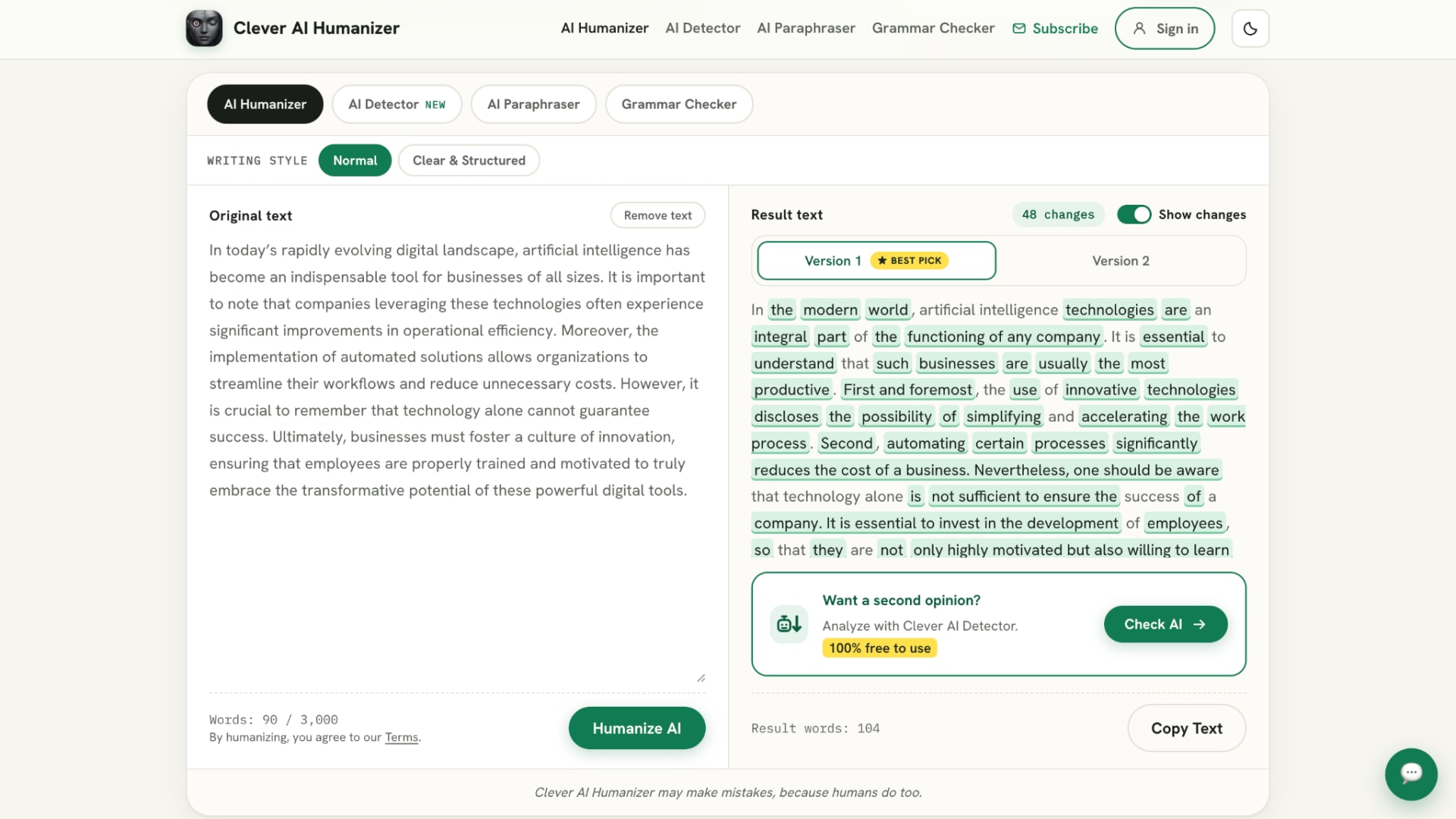
Let’s start with the tool that offers the best overall balance, and for us, that’s Clever AI Humanizer. It is a great free AI humanizer, especially for students, as it uses a formal and academic writing style instead of making the text overly casual. It combines consistent AI detection performance with strong writing quality, so improving one doesn’t mean sacrificing the other. Most importantly for academic papers, it maintains good grammar and doesn’t rely on awkward sentences or deliberate mistakes to make the text appear more human. It also avoids adding too much new information, so the rewritten version stays close to your original ideas.
Clever AI Humanizer offers unlimited humanizations per month, with up to 3,000 words per request. You can re-humanize the same text as many times as you want until you get a version you’re happy with, and the tool provides several output variations to choose from. It is completely ad-free, requires no registration to get started, and doesn’t put its core humanizer behind a paywall after a few attempts. It supports DOCX and PDF uploads.
Clever also comes with several built-in writing tools. Its AI Paraphraser lets you rephrase your text using 22 different styles. The built-in Grammar Checker can then help you quickly check the grammar in your text before using the final version.
Key Features
- Unlimited Humanizations: Humanize text as many times as needed without a monthly usage limit.
- 3,000 Words per Request: Process longer essays, reports, and articles in a single run.
- Multiple Variations: Compare several rewritten versions and choose the one that works best.
- File Uploads: Upload DOCX and PDF documents instead of copying the text manually.
- AI Paraphraser: Rephrase individual passages with 22 different writing styles.
- Grammar Checker: Check the final version for grammar issues before using it.
- History: After registration you can access previous humanizations.
Pros
- Unlimited number of words per month.
- Supports up to 3,000 words in a single rewrite.
- No registration required to get started.
- Strong balance between AI detection performance and writing quality.
- Maintains good grammar instead of introducing intentional errors.
- Keeps rewritten content close to the original ideas.
- No ads or core humanization features locked behind a paid plan.
- Suitable for academic and formal writing.
Cons
- Speed is slightly lower than some of the fastest tools on our list.
Pricing
- Free

Tool Level
- Beginner to advanced
Usability
- The interface is clean, user-friendly and requires almost no setup. You can paste your text or upload a document and start humanizing without creating an account.
Pro Tip: If only a few sentences need substantial changes, use the paraphraser on those passages instead of re-humanizing the entire document.
2. Undetectable AI
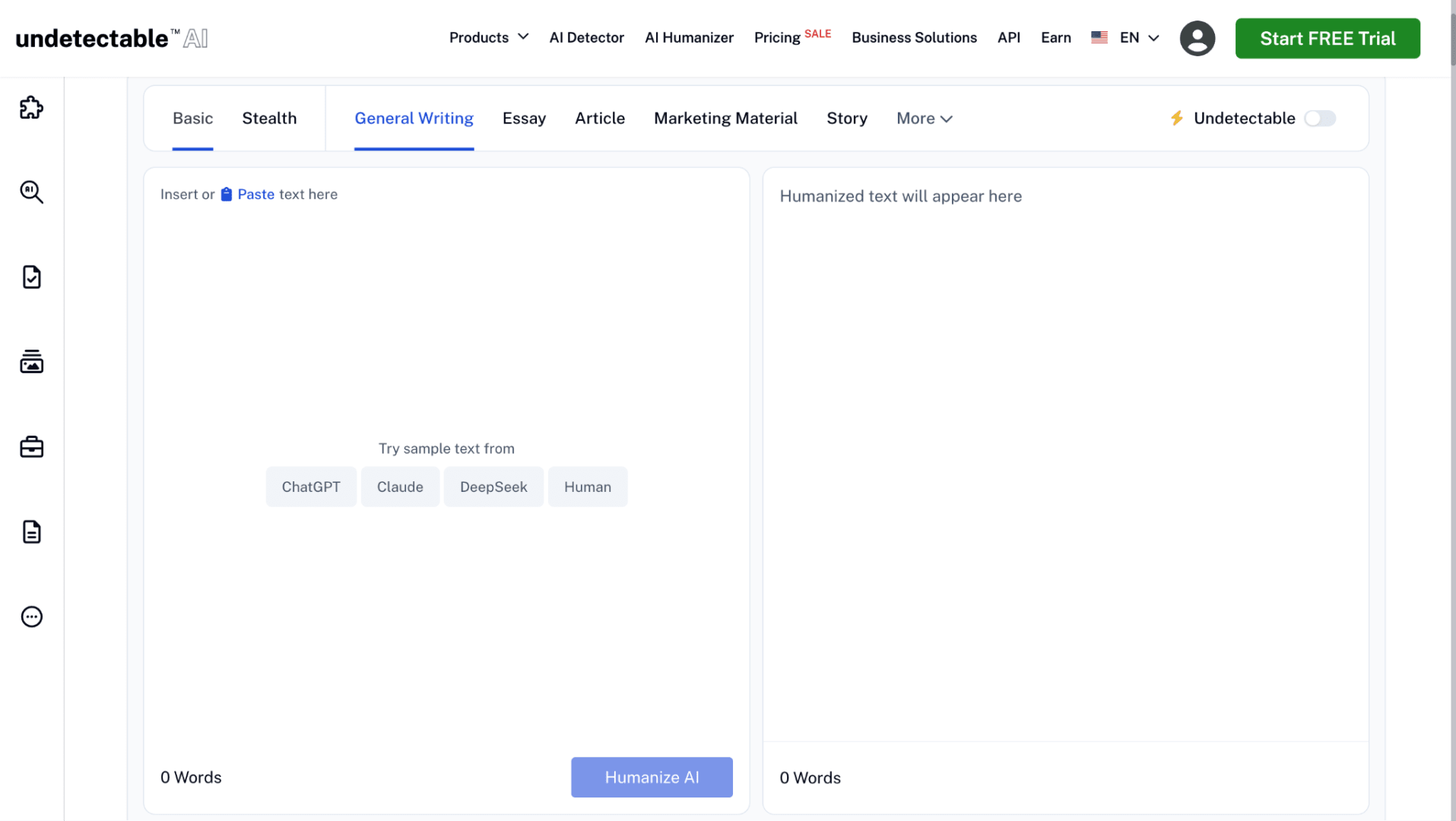
If your main goal is to bypass AI detection, Undetectable AI is one of the strongest options on our list. It performs particularly well in this area, but there is a trade-off: writing quality can suffer, and the tool tends to add a lot of new content during rewriting. In some cases, the final version can become significantly longer than the original. This means you may need to spend extra time cutting and editing the output, especially if you are working with strict word limits.
Undetectable AI has three rewriting modes, such as Basic, Stealth, and Undetectable. The Basic mode can be used for free, while the more advanced Undetectable mode is available only with a paid plan. You can also choose from nine different writing types to adapt the output to your content.
Without an account, you only get a one-time 250-word trial for free. To process longer texts and access the full set of features, you need to create an account and upgrade to a paid plan.
Key Features
- Three Rewriting Modes: Choose between Basic, Stealth, and Undetectable modes.
- Nine Writing Types: Adapt rewriting to different types of content.
Pros
- Strong performance across AI detectors in our testing.
- Multiple rewriting modes for different levels of modification.
- Nine writing types provide additional control over the output.
- Suitable for users who prioritize detector performance.
Cons
- Can add a significant amount of new content.
- Rewritten text may become considerably longer than the original.
- Writing quality and grammar require more manual review.
Pricing
- Free: 250 words one-time
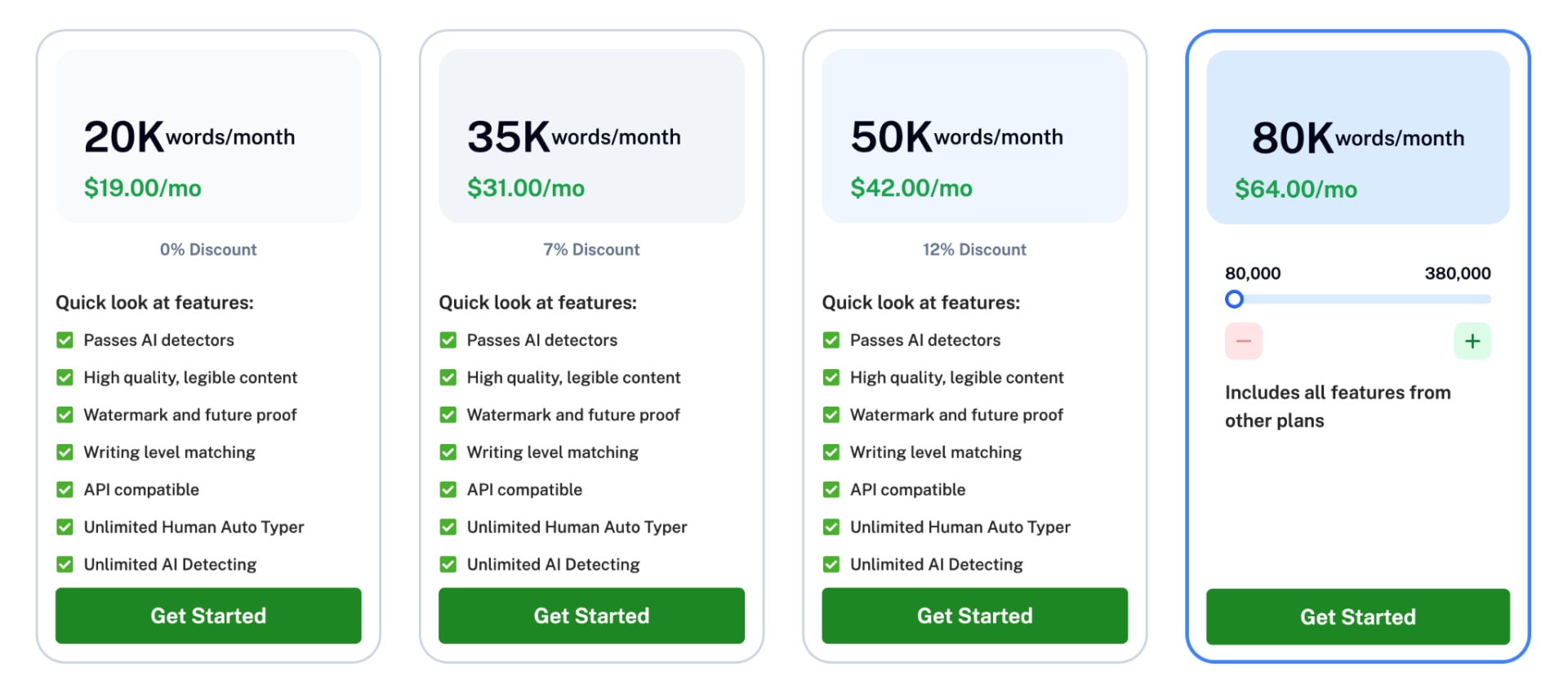
- 20,000 words/month: $19/month
- 35,000 words/month: $31/month
- 50,000 words/month: $42/month
- 80,000–380,000 words/month: $64–$209/month
Tool Level
- Intermediate
Usability
- The interface is relatively easy to understand, but choosing between different modes and writing types adds an extra step compared with simpler humanizers.
Pro Tip
- Compare the word count before and after humanization. If you're working with a strict essay limit, remove unnecessary additions before submitting the final version.
3. WriteHuman
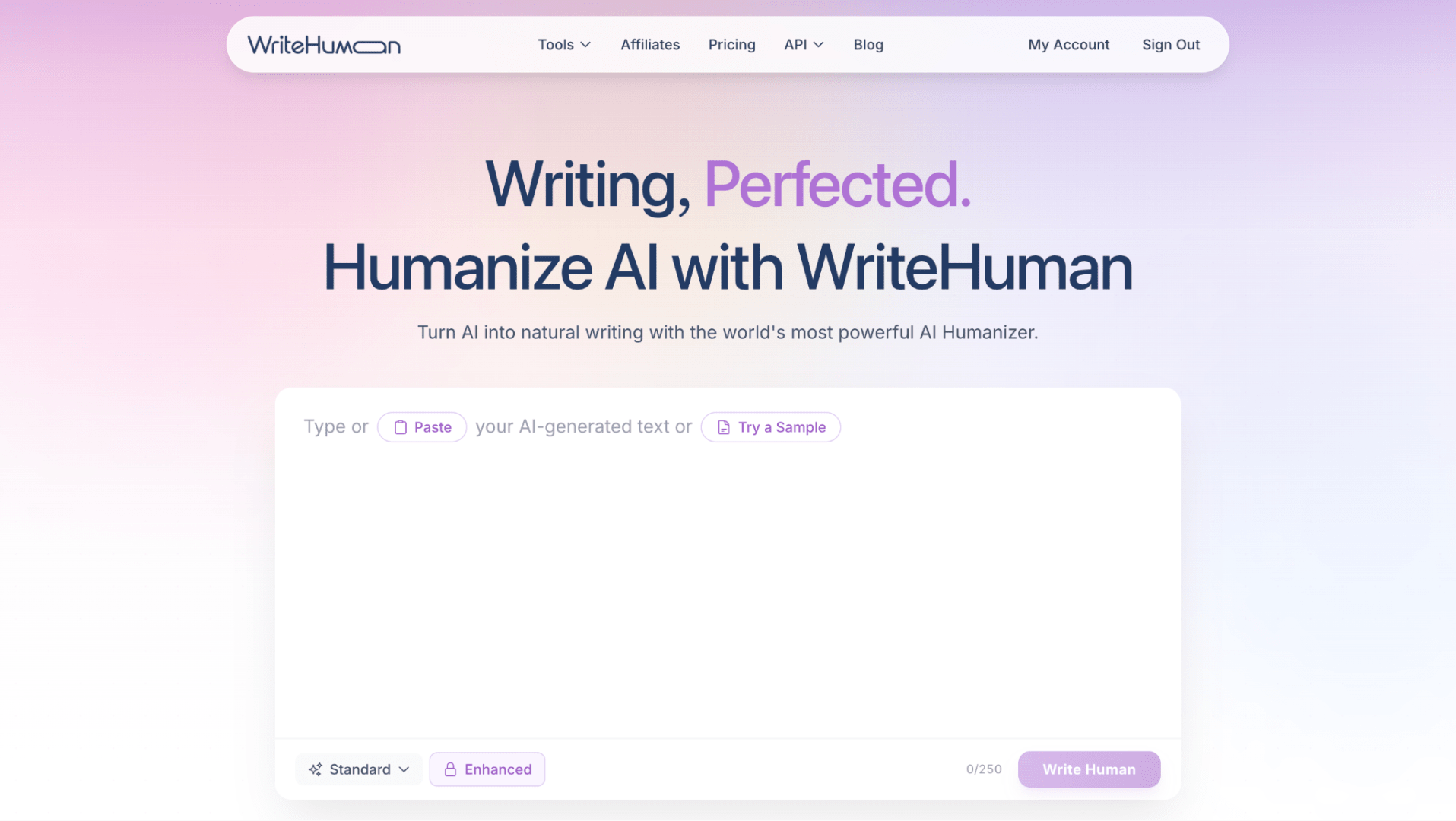
WriteHuman is a good choice if you need fast and predictable humanization without turning your original text into a much longer essay. It generally keeps the rewritten version close to the original length, although the overall writing quality is not quite as strong as the tools higher on our list.
With WriteHuman, you can humanize up to 250 words per request for free, but the free plan is limited to only three humanizations per month. The tool offers eight different writing styles and an Enhanced mode for more advanced rewriting. It also generates two humanized versions of your text, although the second version is available only on a paid plan.
Key Features
- Eight Writing Styles: Adjust the output for different types of writing.
- Enhanced Mode: Apply more advanced rewriting when needed.
- Two Output Versions: Generate two alternatives and choose the best one.
Pros
- Very fast humanization.
- Makes relatively small changes to the original text length.
- Offers eight writing styles.
- Simple enough for beginners.
- Provides multiple versions on paid plans.
Cons
- Free users get only three humanizations per month.
- The second output version requires a paid plan.
- Writing quality is less consistent than our highest-rated options.
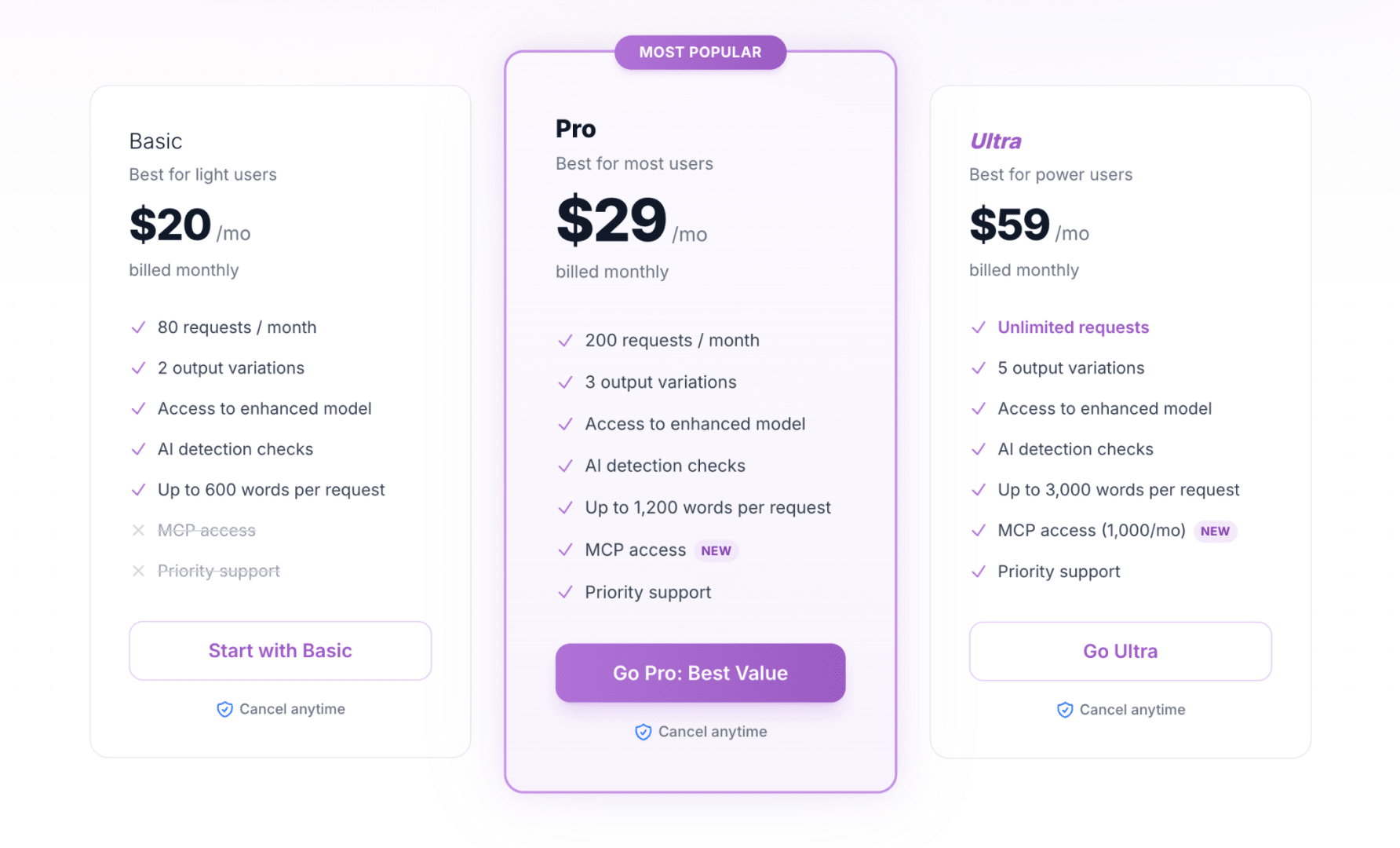
Pricing
- Free: 250 words/run
- Basic: $20/month for 80 requests/month
- Pro: $29/month for 200 requests/month
- Ultra: $59/month for unlimited requests
Tool Level
- Beginner
Usability
- WriteHuman has a simple workflow and doesn't overwhelm users with settings.
Pro Tip
- Use WriteHuman when maintaining the original word count matters. It's particularly convenient for assignments with a narrow minimum or maximum length.
4. AIHumanize
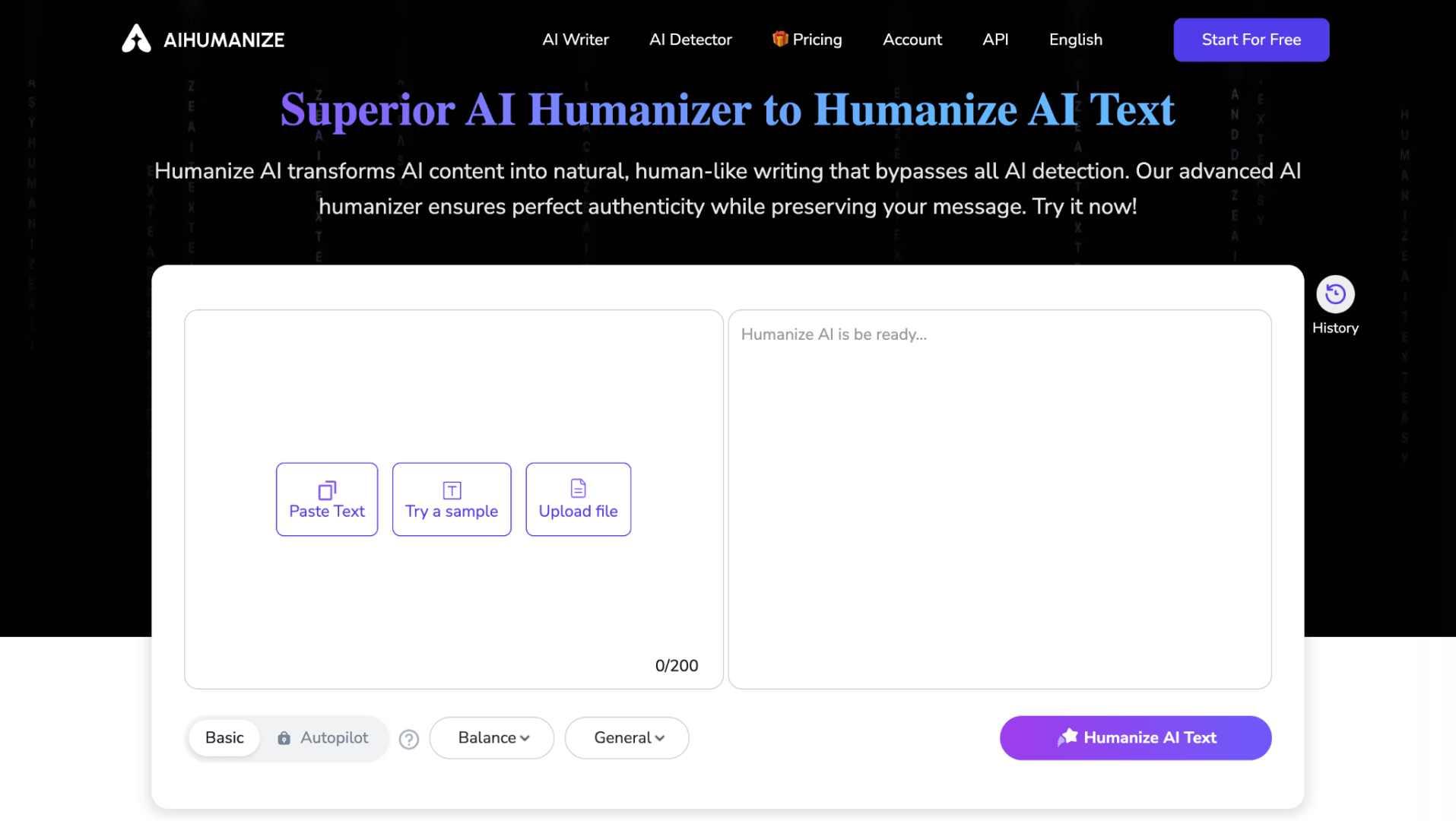
AIHumanize performs well across different AI detectors and generally delivers consistent humanization results. Its main drawback is writing quality: the output can be less polished, and the tool tends to add a noticeable amount of new wording during rewriting, so the final version may require additional editing.
You can humanize up to 200 words per run for free without registration. After creating an account, you get a monthly limit of 2,000 words, with the same 200-word limit per run, and access to seven writing styles.
AIHumanize has two main modes: Basic and Autopilot. Basic is available for free, while Autopilot requires a paid plan. Quality, Enhanced, and Private rewriting levels, as well as History, are also available to paid users.
Key Features
- Basic and Autopilot Modes: Choose between standard and more advanced humanization.
- Seven Writing Styles: Adapt the result to different types of content.
- Multiple Rewriting Levels: Paid users can access Quality, Enhanced, and Private options.
- History: You can access previous humanizations.
Pros
- Performs consistently across several AI detectors.
- Seven writing styles provide good control over tone.
- Short texts can be humanized without registration.
- Multiple advanced rewriting options are available for paid users.
Cons
- Can add a noticeable amount of new wording.
- Output often requires additional editing.
- Most advanced features require a subscription.
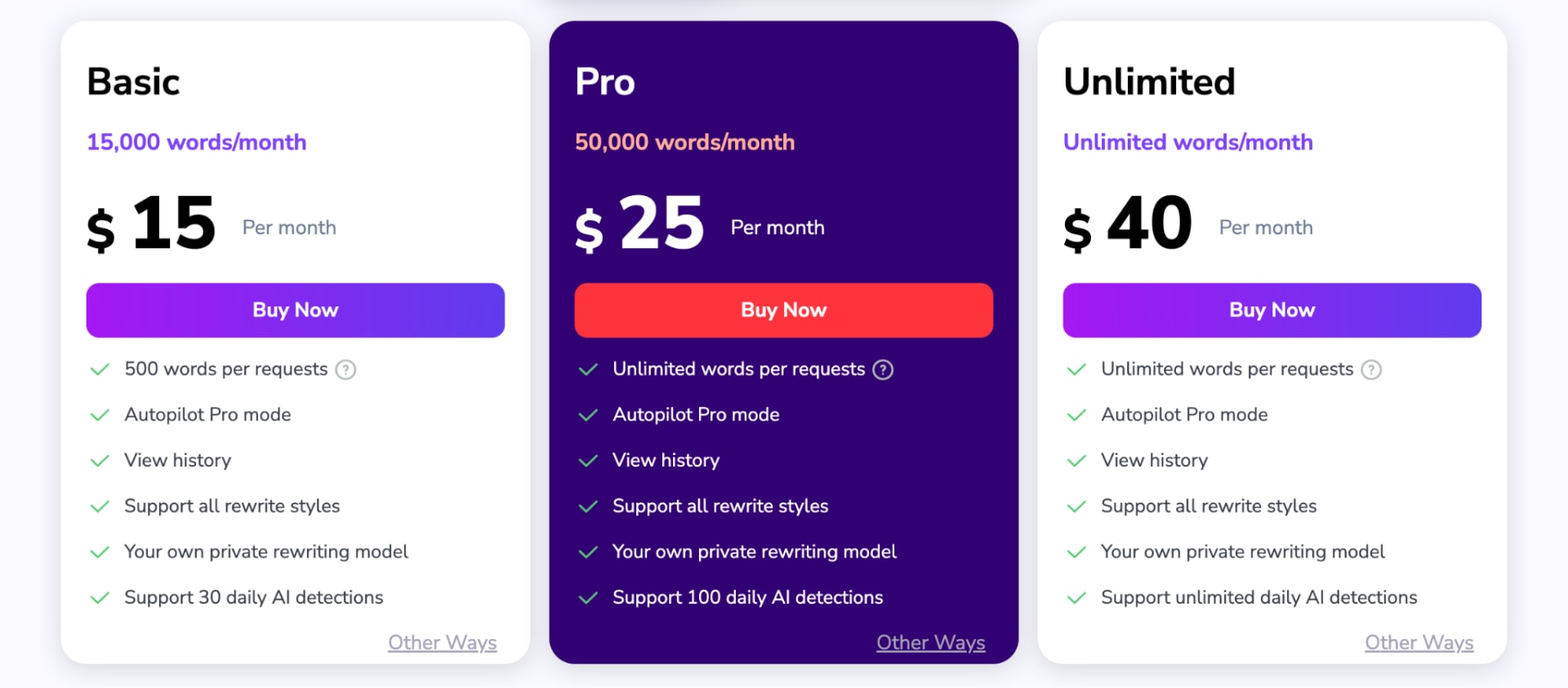
Pricing
- Free Without Registration: 200 words/run
- Free Account: 2,000 words/month
- Basic: $15/month for 15,000 words/month
- Pro: $25/month for 50,000 words/month
- Unlimited: $40/month for unlimited words/month
Tool Level
- Beginner to intermediate
Usability
- AIHumanize is easy to start using, although the number of modes and rewriting levels becomes more relevant once you move to a paid plan.
Pro Tip
- Review the output for unnecessary additions after every rewrite. Removing extra wording can improve readability while keeping the final version closer to your original argument.
5. Grubby AI Humanizer
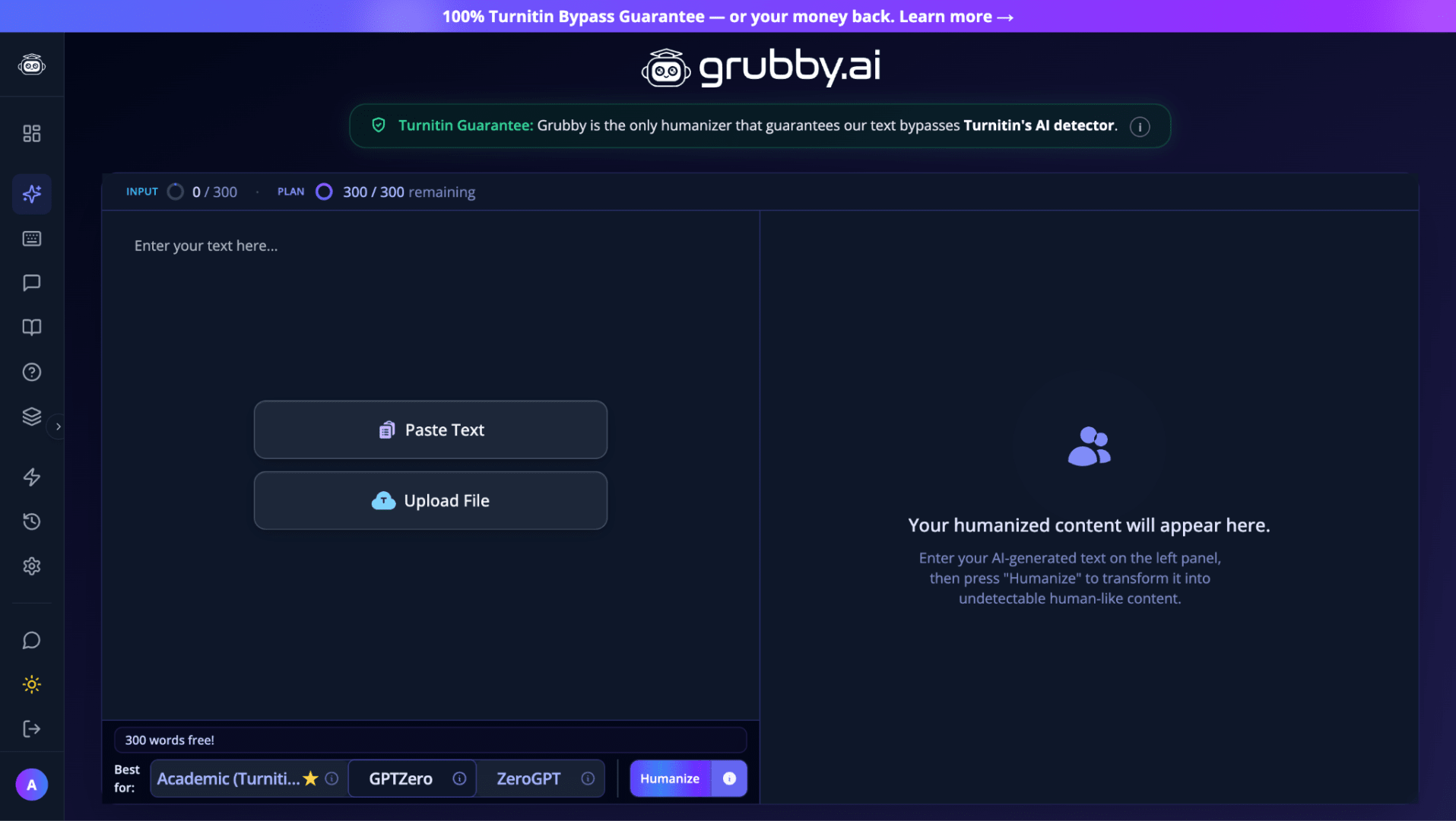
Grubby AI Humanizer focuses each rewriting mode on a specific AI detector and can produce good-quality output while maintaining solid grammar and staying relatively close to the original text. However, if you need your text to perform consistently across several different AI detectors at once, Grubby AI may not be the best fit.
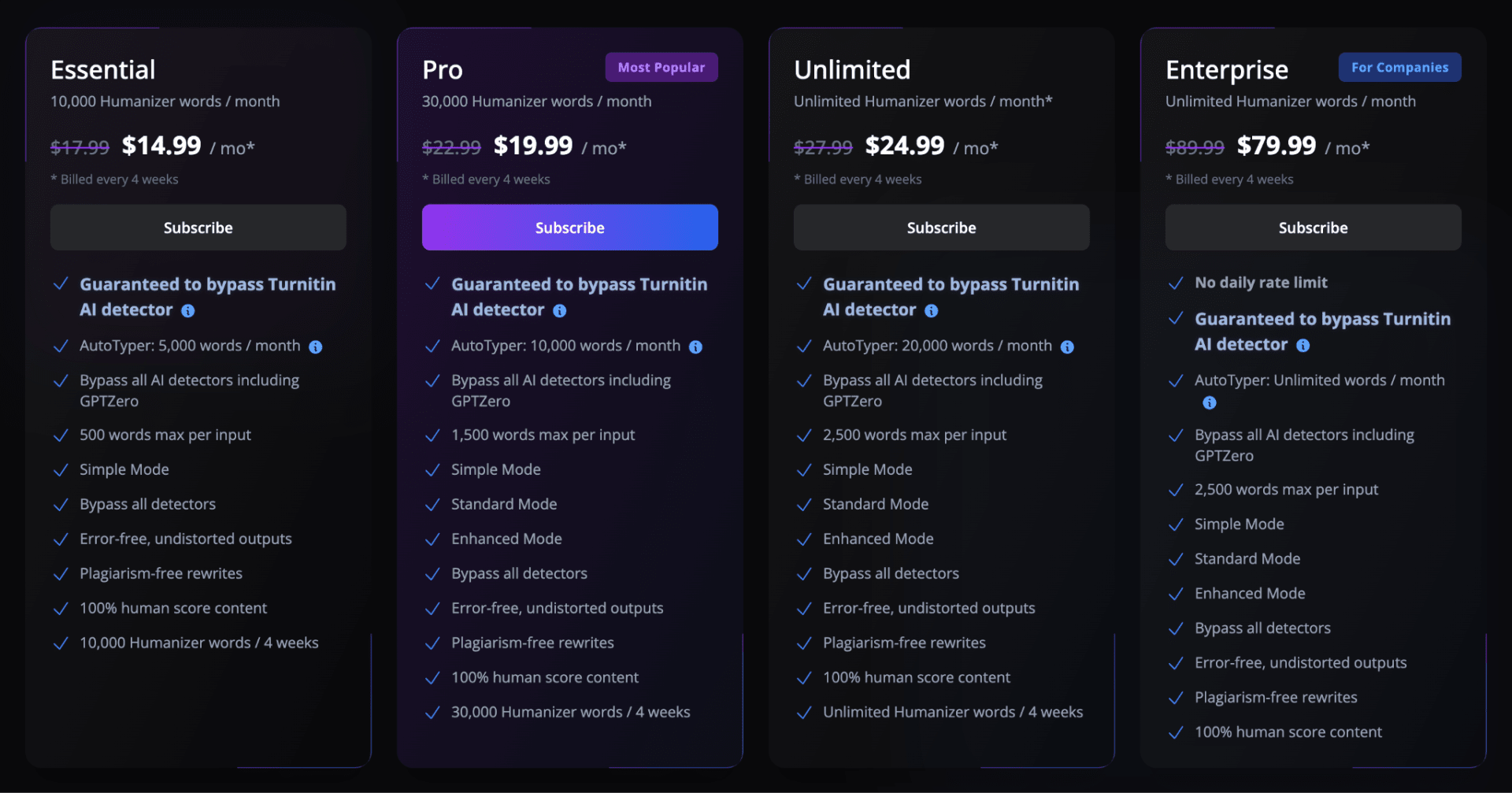
Grubby AI offers separate rewriting modes for GPTZero, Turnitin, and ZeroGPT. The free plan allows only 300 words per month, and without an account, you can see only a preview of a few rewritten sentences. After registration, you get full access to the output and a History feature that saves your previous humanizations. You can also upload a document.
After rewriting, Grubby highlights certain words and provides suggested synonyms, so you can adjust the result yourself. There is also a Polish feature for further improving the rewritten text and a built-in AI detector for checking it directly within the platform.
Key Features
- Detector-Specific Modes: Choose dedicated modes for GPTZero, Turnitin, and ZeroGPT.
- Synonym Suggestions: Review highlighted words and replace them manually.
- Polish Feature: Further refine a humanized version.
- History: Registered users can access previous humanizations.
- Document Uploads: Import a document directly into the tool.
Pros
- Good overall writing quality.
- Strong grammar compared with many detector-focused humanizers.
- Keeps output relatively close to the original text.
- Detector-specific modes provide additional control.
- Includes useful manual editing suggestions.
Cons
- Results can vary depending on which detector you use afterward.
- Less suitable if you want one rewrite optimized for consistent performance across multiple detectors.
- Users without an account can see only a short preview of the result.
Pricing
- Free: 300 words/month
- Essential: $14.99/month for 10,000 words/month
- Pro: $19.99/month for 30,000 words/month
- Unlimited: $24.99/month for unlimited words
- Enterprise: $79.99/month for unlimited words
Tool Level
- Intermediate
Usability
- Grubby AI requires slightly more input than basic humanizers because you need to select the appropriate detector-focused mode, but the additional editing tools are conveniently built into the same interface.
Pro Tip
- Don't automatically accept every suggested synonym. Read the complete sentence after each replacement to make sure the word still fits the intended meaning and context.
6. GPTHuman AI
If writing quality matters more to you than trying to make AI text undetectable, GPTHuman AI is a strong choice. It produces clean, natural writing with strong grammar and preserves the original meaning well. However, it is less effective at changing how AI detectors classify the text, so it works better as a writing improver than a detector-focused humanizer.
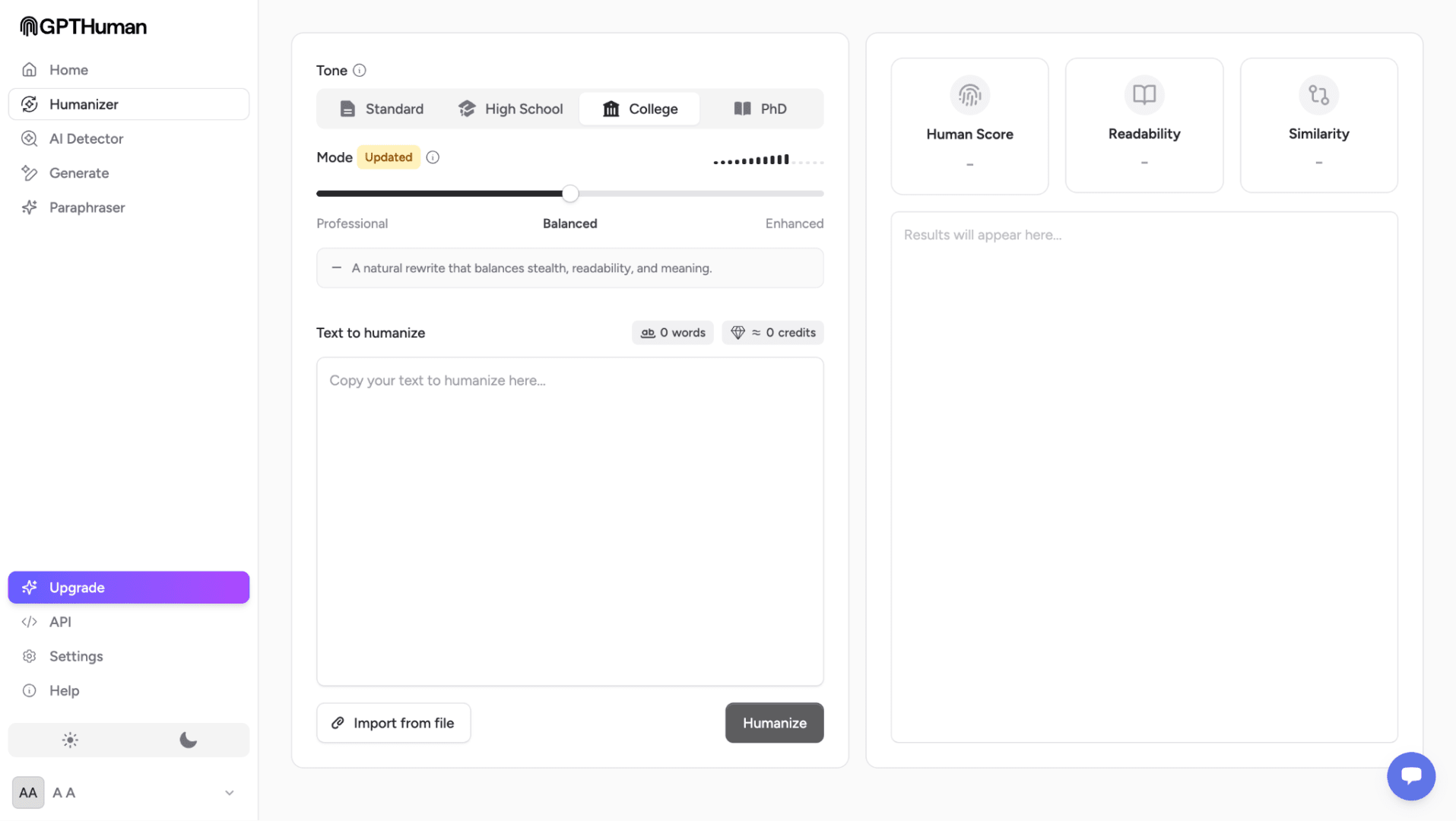
The free version is limited to 300 words and requires registration before you can start. GPTHuman AI offers four writing tones and three rewriting modes, and you can import your own file instead of pasting the text manually. After humanization, it also shows Human Score, Readability, and Similarity percentages, making it easier to evaluate the rewritten version. GPTHuman AI also includes a built-in AI Paraphraser with three free uses, up to 2,000 characters per request, and four rewriting styles to choose from.
Key Features
- Four Writing Tones: Adjust the style of the rewritten content.
- Three Rewriting Modes: Control how the humanizer processes your text.
- File Import: Upload your content rather than manually pasting it.
- Human Score: Get an additional assessment after rewriting.
- Readability Score: Evaluate how easy the rewritten text is to read.
- Similarity Score: See how closely the new version matches the original.
- AI Paraphraser: Rephrase up to 2,000 characters per request with four styles.
Pros
- Excellent writing quality.
- Preserves the original meaning well.
- Provides readability and similarity metrics.
- Includes several tones and rewriting modes.
- Supports file imports.
Cons
- Lower AI detection performance than most other tools in our ranking.
- Registration is required.
- Better suited to improving writing than detector-focused rewriting.
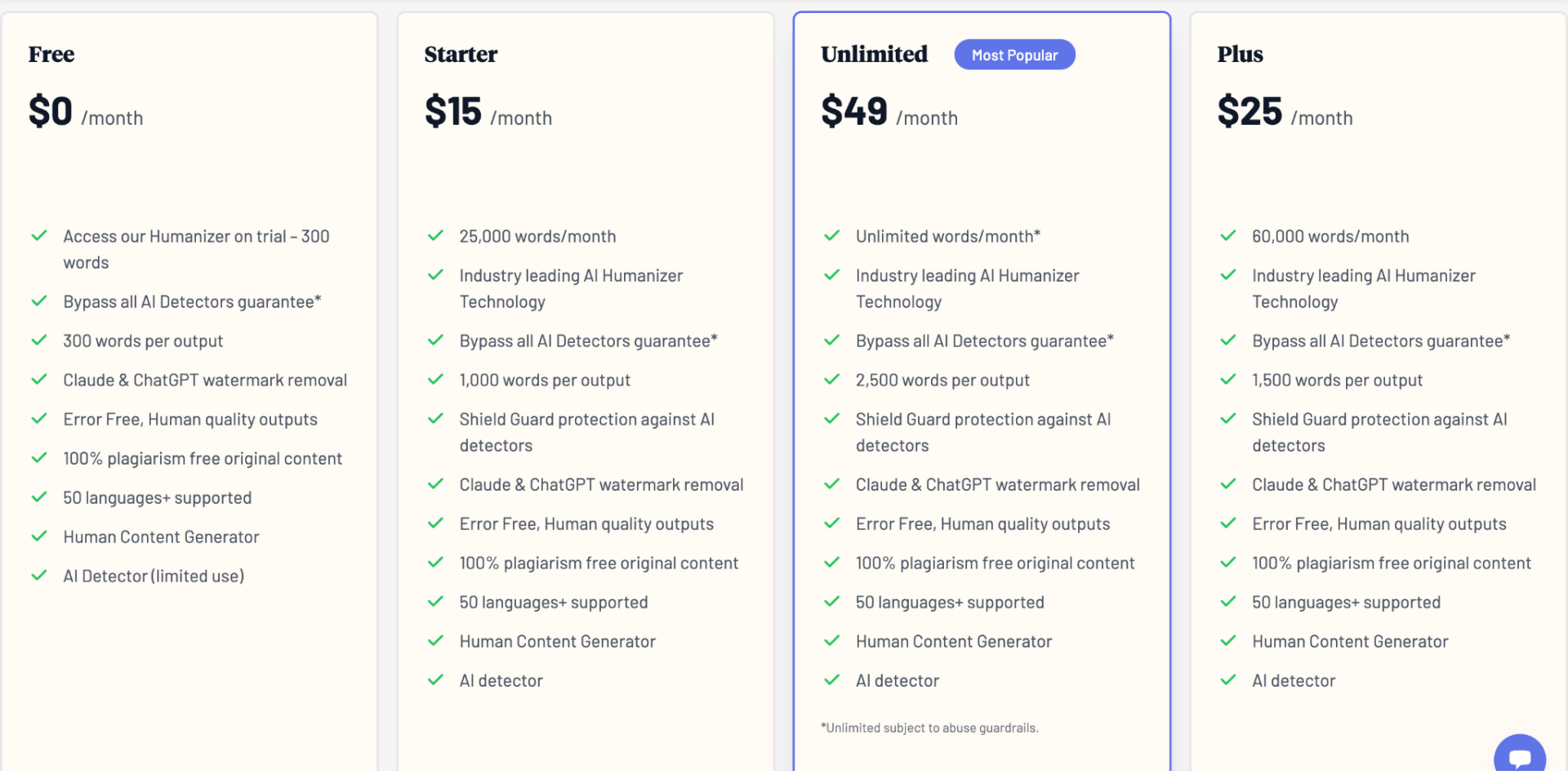
Pricing
- Free: 300 words
- Starter: $15/month for 25,000 words/month
- Plus: $25/month for 60,000 words/month
- Unlimited: $49/month for unlimited words/month
Tool Level
- Beginner to intermediate
Usability
- The platform provides more information than a basic humanizer, but its scores and rewriting controls remain easy to understand even if you're using it for the first time.
Pro Tip
- Pay attention to the Similarity score alongside the rewritten text. A heavily changed version isn't automatically better, especially when preserving your original argument or terminology matters.
7. Verva
Verva (previously TwainGPT) performs better with ZeroGPT than any other tool on our list. However, this comes with a noticeable trade-off: its grammar is weak, and readability is often sacrificed for better detector performance. On the positive side, Verva makes only minor changes to the original text length, so your rewrite stays close to the initial word count.
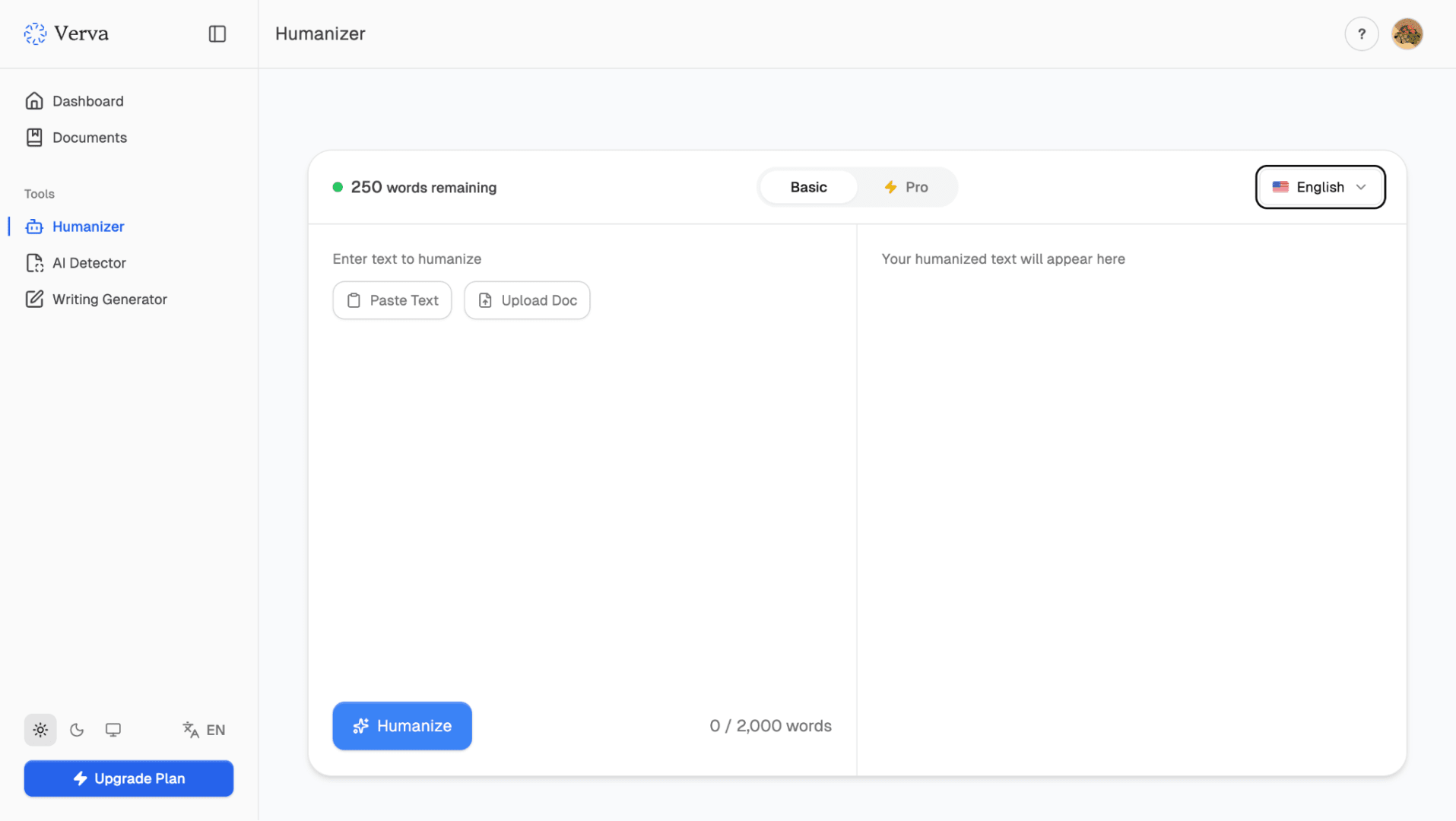
Verva lets you humanize up to 250 words per run for free, with an option to re-humanize the result once. It offers Basic and Pro modes and includes a History feature where previous humanizations are saved. You need to create an account before you can use the humanizer.
Key Features
- Basic and Pro Modes: Choose the level of rewriting you need.
- Re-Humanization: Free users can process the generated result one additional time.
- History: Access previously humanized texts from your account.
- Length Preservation: Makes relatively small changes to the original word count.
Pros
- Strong performance with ZeroGPT in our tests.
- Keeps the final word count relatively close to the original.
- Allows one additional re-humanization on the free plan.
- Affordable starting price compared with several competitors.
Cons
- Grammar is noticeably weaker.
- Some rewrites sacrifice readability.
- An account is required before you can use the humanizer.
- Performance isn't equally strong across every detector.
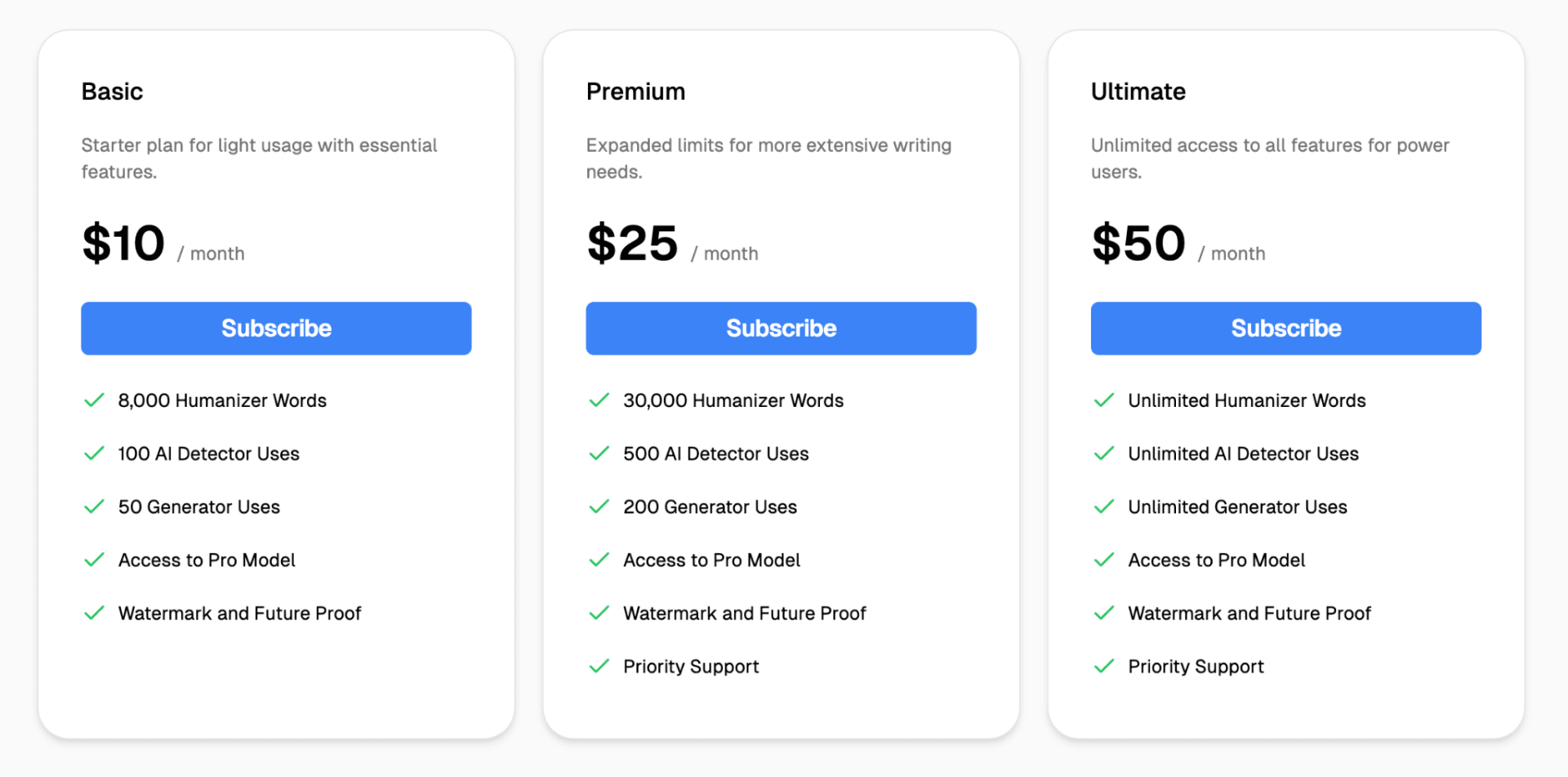
Pricing
- Free: 250 words/run
- Basic: $10/month for 8,000 words
- Premium: $25/month for 30,000 words
- Ultimate: $50/month for unlimited words
Tool Level
- Intermediate
Usability
- Verva has a relatively simple interface, but the weaker grammar means the output needs more careful manual review than results from higher-ranked tools.
Pro Tip
- Always run the final Verva output through a grammar check and read it yourself before using it. Don't sacrifice clarity or correct grammar simply for a better detector score.
Frequently Asked Questions
What is the best AI humanizer in 2027?
Based on our comparison, Clever AI Humanizer is the best overall option in 2027. It combines strong AI detection performance with high writing quality and grammar, while keeping the rewritten text close to the original. It is also completely free, with unlimited humanizations and up to 3,000 words per request.
Is it ethical to use an AI humanizer?
Yes, but it depends on how you use it. Humanizers can be useful for improving readability, maintaining a consistent tone, editing AI-assisted drafts, or refining your own writing. For academic work, however, you should follow your school or university's rules on AI use and never use a humanizer to misrepresent work that you were required to complete independently.
Can human-written text be detected as AI?
Yes. AI detectors can produce false positives and sometimes classify human-written content as AI-generated. This is one reason detector results should not be treated as definitive proof of who or what wrote a text.
Should I edit text after using an AI humanizer?
Yes. Always read the final version before submitting or publishing it. Humanizers can change wording, sentence structure, tone, and sometimes even parts of the original meaning. A final review helps ensure that the text still says exactly what you intended and matches the required writing style.
Comments
Loading comments…