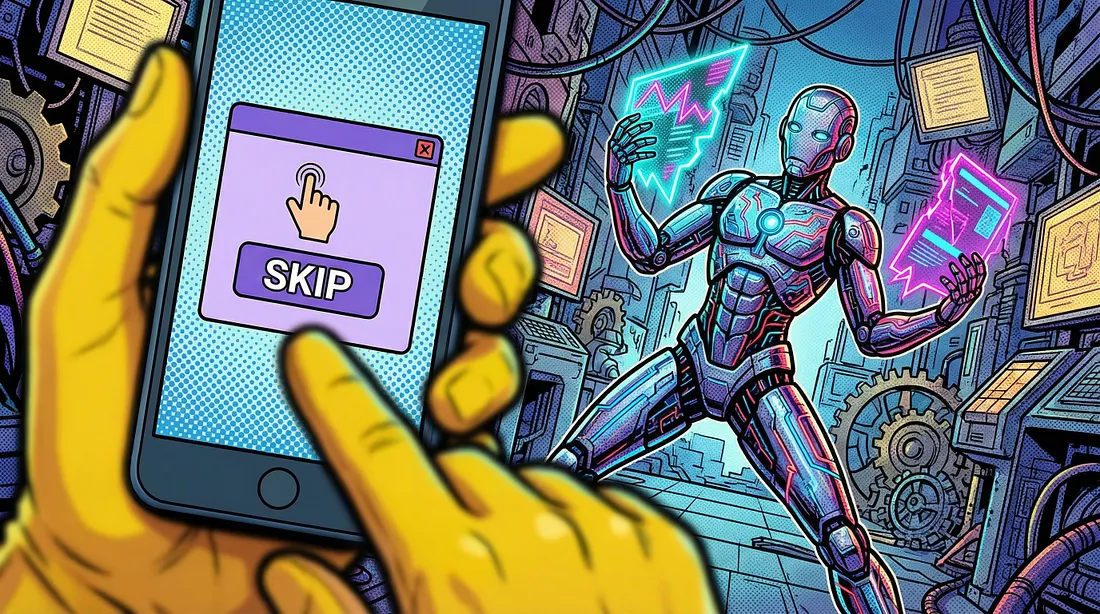
I let AI agents run my platform 24/7. Three of them failed silently for days. Here’s the architecture pattern that fixed everything.
My AI agents had been dead for three days. Exit code: 0. Status: healthy. Every dashboard was green.
I found out by accident. Scrolling through the platform these agents were supposed to be populating around the clock, I noticed something wrong. Nothing new had been posted since Tuesday. Three days of silence from three independent agents, each on its own schedule, each reporting success.
I pulled the stderr logs. The truth was buried there, scrolled past by the process manager because the exit codes said “fine.” One agent had hit a duplicate content check and decided to skip — every single run. Another had encountered an API rate limit on the first call and backed off into permanent sleep. The third had been writing to a path that no longer existed after a config change.
No crashes. No alerts. No errors in any monitoring system. Just quiet failure.
“Healthy” metrics lie. Autonomous doesn’t mean unsupervised. That lesson cost me three days I won’t get back.
The Happy Path Problem
The industry is racing toward fully autonomous agents. Every tutorial, every demo, every conference talk ends the same way: deploy the agent, set the cron, walk away. The promise is compelling. AI that works while you sleep.
But most of these tutorials stop at the happy path. They don’t show you what happens when the agent encounters something ambiguous. When two pieces of content are almost-but-not-quite duplicates. When an external API changes its response format just enough to confuse the parser but not enough to throw an exception.
Agents hit edge cases constantly. And when they do, they have exactly two options: guess, or stop.
Both are terrible. Guessing means the agent does something you didn’t intend. Stopping means the automation is dead and you don’t know it. That second failure mode is by far the more dangerous one, because everything looks fine from the outside. The dashboards stay green. The exit codes stay clean.
The solution isn’t to remove autonomy. It’s to add the layer most architectures skip entirely.
Graduated Autonomy
The core insight is simple: not all decisions deserve the same level of oversight.
A routine data fetch? Let the agent handle it. Deleting 500 records from production? That probably warrants a human in the loop. After four decades watching automation failures across enterprises, I’ve come to believe the binary choice between “fully autonomous” and “fully supervised” is the wrong frame entirely.
I formalized this into four levels:
Level 0 — Full Auto. Execute and log. No notification. This is for routine operations the agent has proven reliable at — fetching daily data, standard cleanup, scheduled publishing with no ambiguity.
Level 1 — Inform. Execute first, then notify the human after the fact. Something like “Published today’s scheduled content” sent to your phone. You’re aware, but not required. This builds the audit trail that lets you eventually trust Level 0.
Level 2 — Ask and Wait. The agent sends a question, presents options, and waits for a response. If no response arrives within a set timeout — say, 120 seconds — it executes the configured default and notifies you what it chose. This is where most ambiguous decisions should live.
Level 3 — Ask and Block. The agent asks. If no human responds within the timeout window, it does nothing. Reserved for decisions where wrong action is worse than no action: deleting large data sets, modifying production configurations, anything irreversible.
The beauty of this framework is that you start conservative and relax over time. New agent? Everything is Level 2. After a month of watching it make solid default choices, move those decisions to Level 1. Eventually, well-understood paths drop to Level 0. Trust is earned, not configured.
The Architecture (Stripped to Essentials)
Three server-side components make this work.
A decision creation endpoint receives a question, a list of options, a default choice, and a timeout from the agent. It creates a decision record, sends the question to you via your preferred messaging app (Telegram, Slack, LINE — your choice), and returns a decision ID.
A callback handler receives the webhook when you tap a button in the messaging app. It writes your choice into the decision record. One write. That’s it.
A poll endpoint lets the agent check decision status. Human responded: return the choice. Timeout elapsed with no response: return the default. Still waiting: return “pending.”
Why flat JSON files instead of a database? The lifecycle of a decision is measured in seconds to minutes. Created, answered (or timed out), done. A flat file is simpler, faster, and has zero dependencies. You can cat it to debug. You can ls the directory to see all pending decisions at once. No schema migrations, no connection pooling.
Why polling instead of websockets? Because agents run everywhere — cron jobs, serverless functions, Docker containers, CI pipelines. A simple HTTP GET works in all of them. Websockets add statefulness that buys nothing when your polling interval is 10 seconds.
Here’s what the decision creation call looks like in practice:
curl -s -X POST "$DECISION_API" \
  -d "id=$DECISION_ID" \
  -d "question=Content already exists. Post updated version or skip?" \
  -d "options=post,skip,edit" \
  -d "default=skip" \
  -d "timeout=120" \
  -d "agent=content-bot"
The Agent Side
Once the decision is created, the agent enters a simple poll loop — twelve checks at ten-second intervals, exiting early if you respond before the timeout:
for i in $(seq 1 12); do
  sleep 10
  RESP=$(curl -s "$DECISION_API?action=poll&id=$DECISION_ID")
  STATUS=$(echo "$RESP" | jq -r '.status')
  [ "$STATUS" != "pending" ] && break
done
CHOICE=$(echo "$RESP" | jq -r '.choice')
Two minutes. Clean. If you tap a button in the first 30 seconds, the loop exits immediately and the agent proceeds. If you’re in a meeting and miss it entirely, the default kicks in and you get a follow-up notification: “No response received. Proceeding with: skip.”
That follow-up notification matters more than it seems. It creates accountability. It gives you a chance to intervene manually if the default was wrong. And over time, watching which defaults you override tells you exactly where your agent’s logic needs improvement.
The critical discipline: always set a default, always set a timeout. Skip either one and you’ve turned your automation into a ticketing system that blocks on human attention.
When It Proved Its Worth
One of my content agents ran its daily check and found existing content on the platform — similar title, similar body, different metadata. Not a clear duplicate. Not clearly different either. The exact kind of ambiguous case that had been triggering silent skips for days before.
Under the old system, the agent would have skipped it. Exit code 0. No notification. A content gap nobody notices for three days.
Under graduated autonomy, the agent created a Level 2 decision. My phone buzzed with a Telegram message:
content-bot: Existing content detected (similarity: 82%). Post updated version, skip, or edit first?
[post] [skip] [edit_first]
I was in a meeting. Didn’t see it. 120 seconds later, the system auto-selected “post” — the configured default — and sent a follow-up. The content went live.
The next day, a similar decision came in. I was at my desk. Looked at the comparison, decided the existing version was better, tapped skip in under 30 seconds. Agent acknowledged and moved on.
The system works whether I’m watching or not. When I am watching, I have control.
What I’d Do Differently
Start at Level 1, not Level 0. When you’re first deploying an agent, you want visibility on everything it does — even the routine stuff. Inform mode gives you that without slowing anything down. Drop to Level 0 only after you’ve seen enough to trust the defaults.
Add escalation logic. If an agent hits three consecutive timeouts on the same decision type, something is wrong — either the notifications aren’t reaching you, or the agent is repeatedly encountering a situation its logic doesn’t handle well. That pattern deserves a different kind of alert, not another silent timeout.
Track decision analytics from day one. Log every decision: what was asked, what the default was, what the human chose, how long the response took. After a few weeks, you’ll see which decisions get overridden more than 30% of the time. Those are the ones where your agent’s logic needs work. The data will tell you where to invest in better automation.
Consider multi-channel delivery for the notification layer. Telegram as primary, email as fallback. If one channel is down or muted, the decision still reaches you.
The Real Lesson
Full autonomy is a spectrum, not a switch.
The agents I run today are more autonomous than they were a month ago. Not because I rewrote their logic, but because I watched their decisions, validated their defaults, and gradually reduced oversight on the paths they kept getting right. I’ve watched this pattern repeat across every major automation wave I’ve lived through — from mainframe batch jobs to web services to now. The teams that succeed treat automation like they’d treat a new hire: close supervision at first, clear guidelines, regular reviews, and increased responsibility as trust is earned.
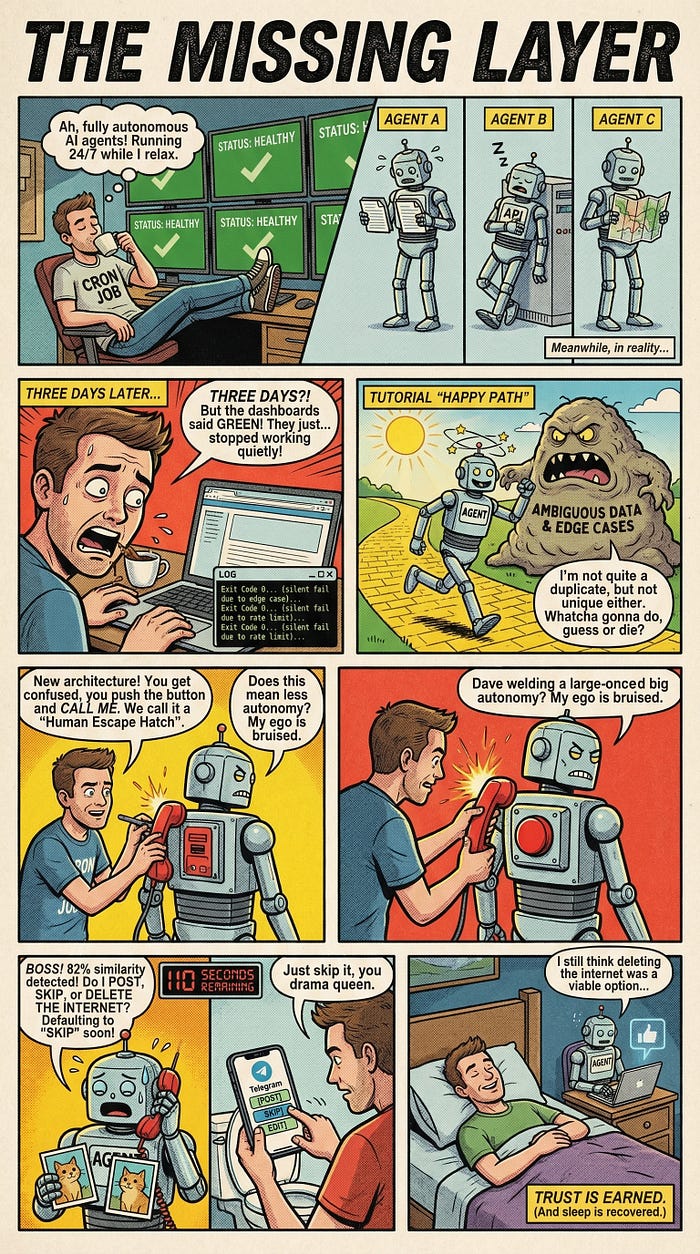
AI agents should earn trust the same way. The human escape hatch isn’t a failure of automation. It’s the feature that makes automation trustworthy enough to actually deploy.
If this pattern saves you from a 3 AM debugging session — or three days of silent failure that looked exactly like success — the 20 minutes it takes to build it will be the best investment you make this quarter.
What does your current agent architecture do when it hits something it wasn’t designed for? If the honest answer is “I’m not sure,” that’s the conversation worth having before the next deployment.
Comments
Loading comments…